Gradual rollouts
You can rollout new features gradually using the variant split function. The variant split function uses your users unique identifier and assigns them to a variant based on the set percentage.
-
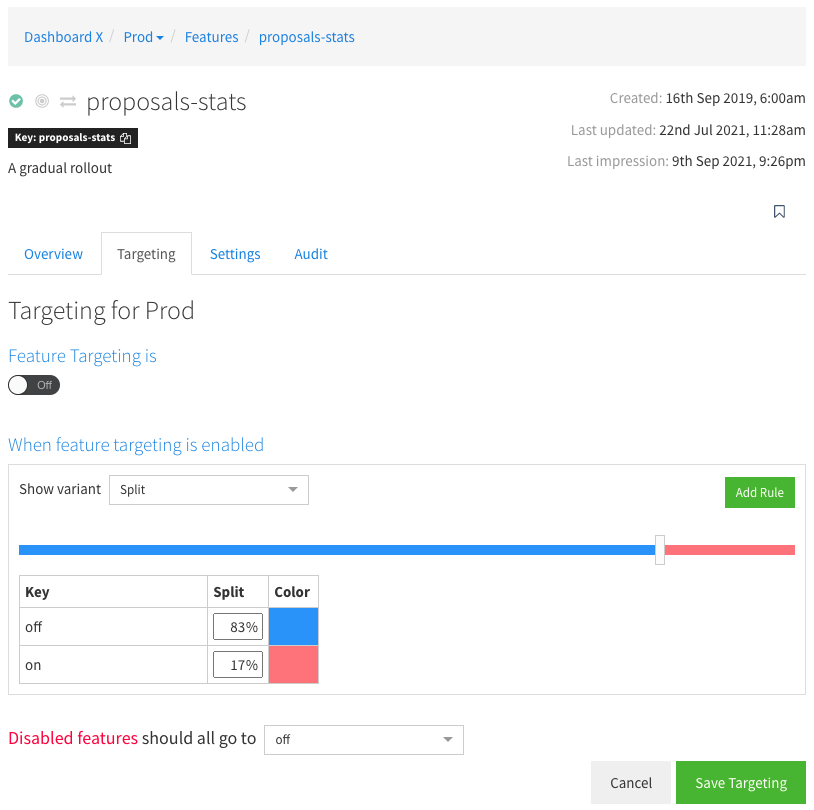
Select the feature you wish to edit In the feature detail view, click the 'Targeting' tab.
-
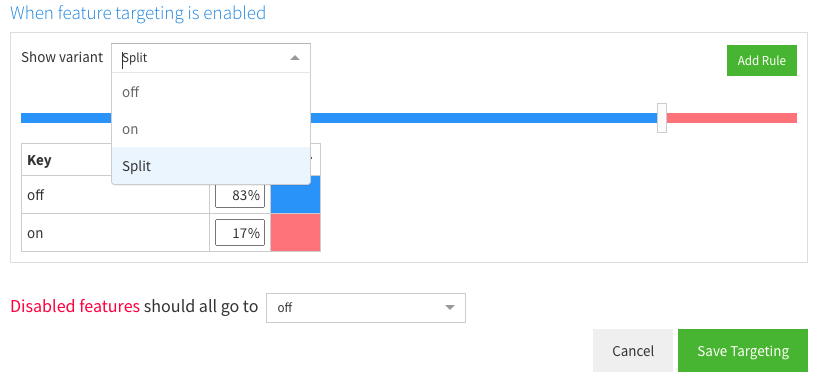
Select 'split' from the default rule selection box
-
Select the percentage using the slider. If you have more than two variants then additional sliders will allow you to apportion a percentage to them
-
Click 'Save Targeting' to save
Using Targeting rules you can create more advanced scenarios such as rollout to a particular split given some specific rules (such as a date, geographical region or user type).
What's next?
learn how to target your features and variants to allow the full power of featureflow.