Managing Feature Variants
Variants allow a feature to return different values beyond simple on/off states. Use variants for:
- Version testing — e.g.,
v1,v2,v3 - A/B testing — e.g.,
control,variant-a,variant-b - Feature modes — e.g.,
normal,maintenance,advanced
Adding Variants
- Navigate to your project and select a feature
- Select the Settings tab
- Click Change Variants to expand the variants section
- Click Add Variant to create a new variant
- Enter the variant details:
- Key — unique identifier used in your code (e.g.,
variant-b) - Name — human-readable display name
- Description — optional details about this variant
- Key — unique identifier used in your code (e.g.,
- Click Save Feature Settings
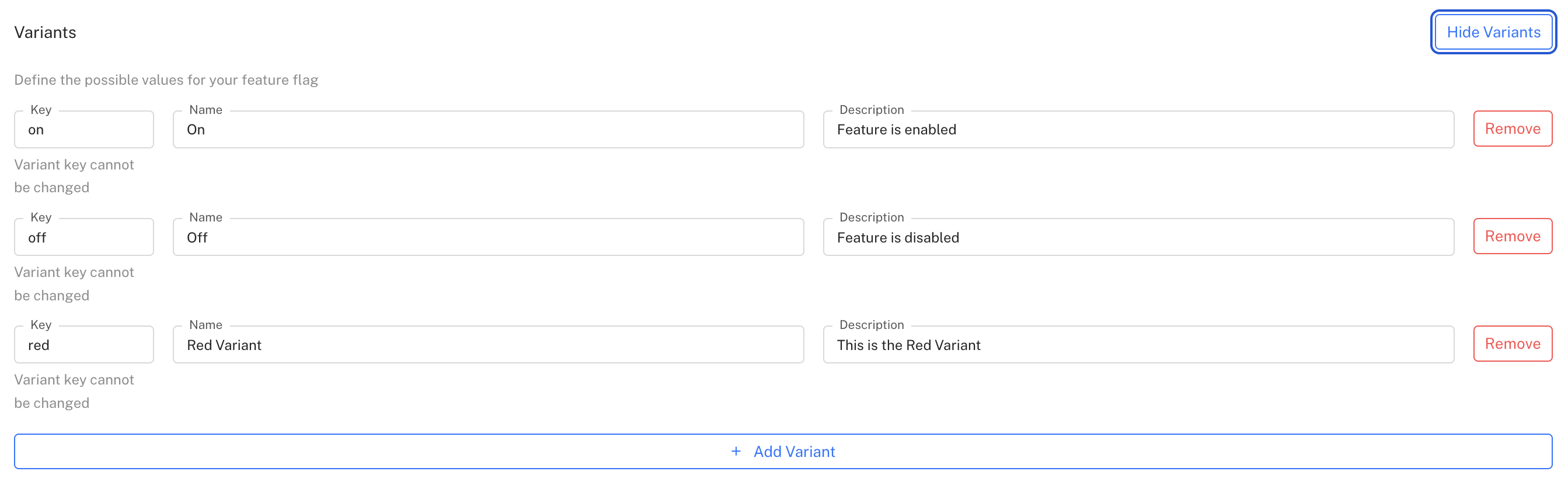
Once you've defined your variants, you can assign them to users through targeting rules or gradual rollouts.
Variants are shared across all environments
Modifying or removing a variant affects all environments. If a variant in use is removed, the environment will fall back to the default variant. Featureflow provides safeguards to warn you before modifying variants that are currently in use.
Defining Variants in Code
You can also define variants directly in your application code. When you register a feature with predefined variants, Featureflow will automatically make them available in the dashboard.
JSON Configuration Values
Beyond a plain key, a variant can carry an arbitrary JSON config payload — structured data your application reads alongside (or instead of) the variant key. Use this to ship configuration changes through Featureflow without a deploy, for example:
- Theme or UI settings —
{ "color": "#0066cc", "layout": "compact" } - Feature limits or thresholds —
{ "maxItems": 10, "timeoutMs": 5000 } - Full structured content — copy, pricing tiers, experiment parameters
Adding a JSON Value to a Variant
-
Navigate to your feature's Settings tab and click Change Variants

-
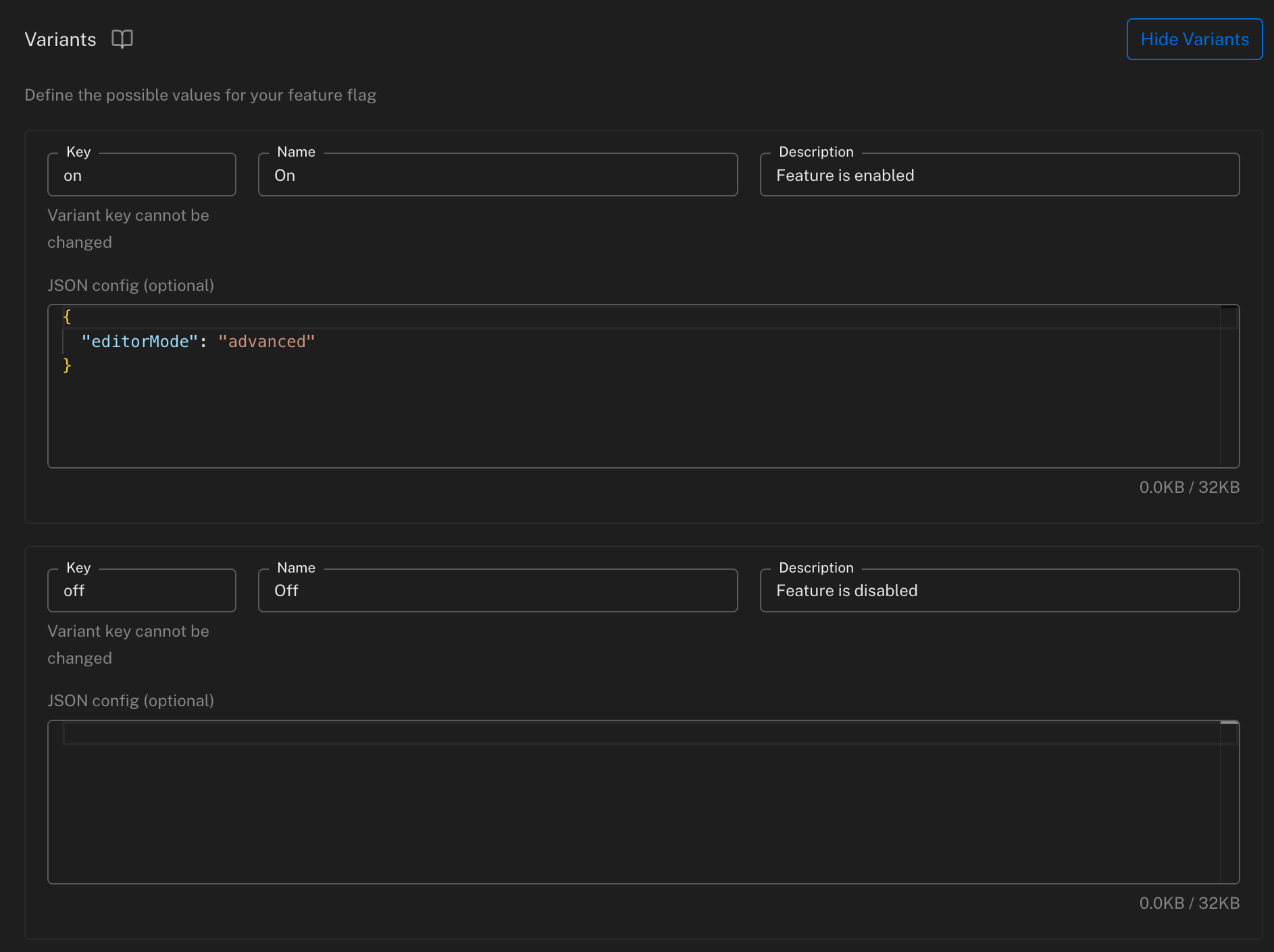
Each variant now shows an optional JSON config editor below its Key/Name/Description fields
-
Enter a JSON object for the variant — the editor validates syntax as you type and shows the current size against the limit
-
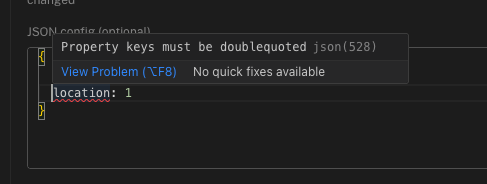
Invalid JSON is flagged inline before you can save
-
Click Save Feature Settings
A variant's JSON config is optional and independent per variant — you can set it on some variants and leave others as plain keys. There's a maximum size of 32KB per variant.
JSON config values are served to your SDKs whenever the variant is evaluated, but they are never included in evaluation events sent back to Featureflow — only the variant key is tracked for statistics. Keep that in mind if you rely on event data for analysis of variant usage.
Once saved, the JSON value is available to your application through the SDKs — see Node.js, JavaScript, React, and Java for examples.
JSON config values require a minimum SDK version. Check the SDK Compatibility table before relying on this feature — older SDKs still evaluate the variant key correctly, they just won't have a method to read the JSON payload.
Next Steps
- Gradual rollouts — release variants to a percentage of users
- Targeting features — assign variants to specific users or segments