Jira Integration
This integration is for Jira Cloud only.
With Featureflow's Jira integration, you can view and link feature flags directly from Jira's Development Panel. Any Jira issue IDs linked to your feature flags will automatically sync to appear in Jira.
If your Jira site has Featureflow – Feature Flags for Jira (Legacy) installed, see Migrating from the legacy Jira app below — migration takes a few minutes and keeps all of your existing Jira issue links.
Installation
1. Generate Integration Token in Featureflow
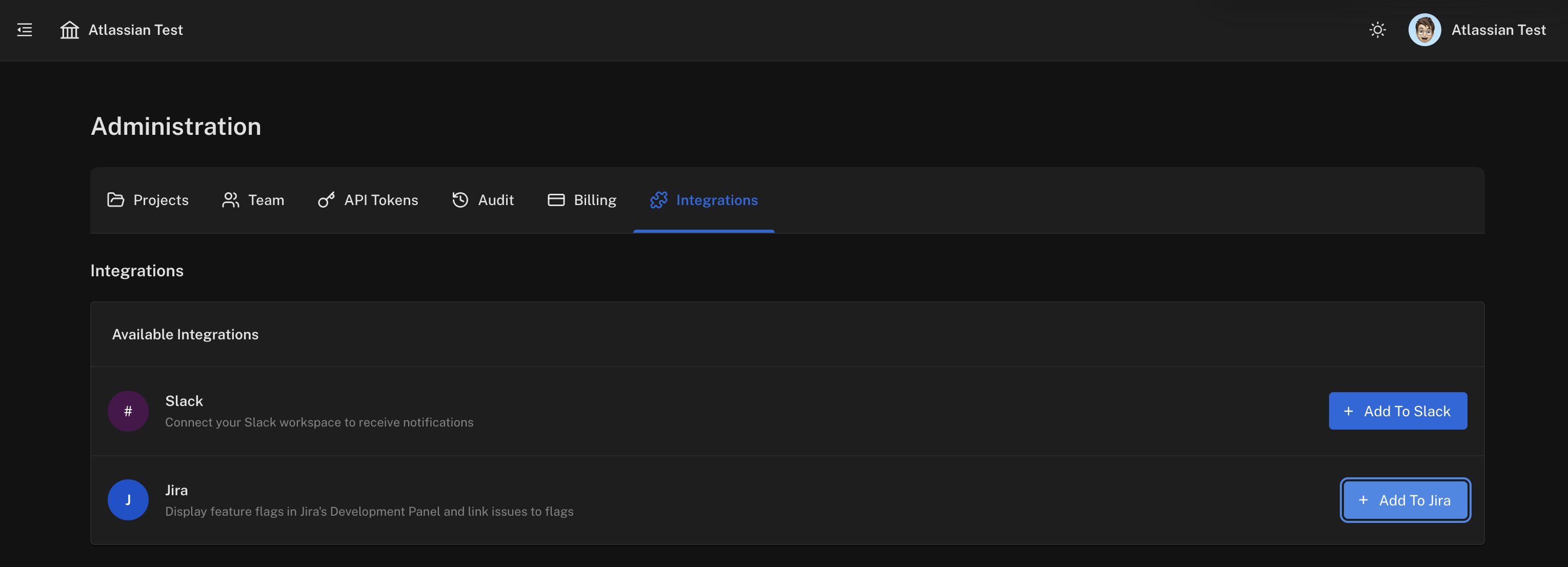
Navigate to Administration → Integrations and click Add To Jira.
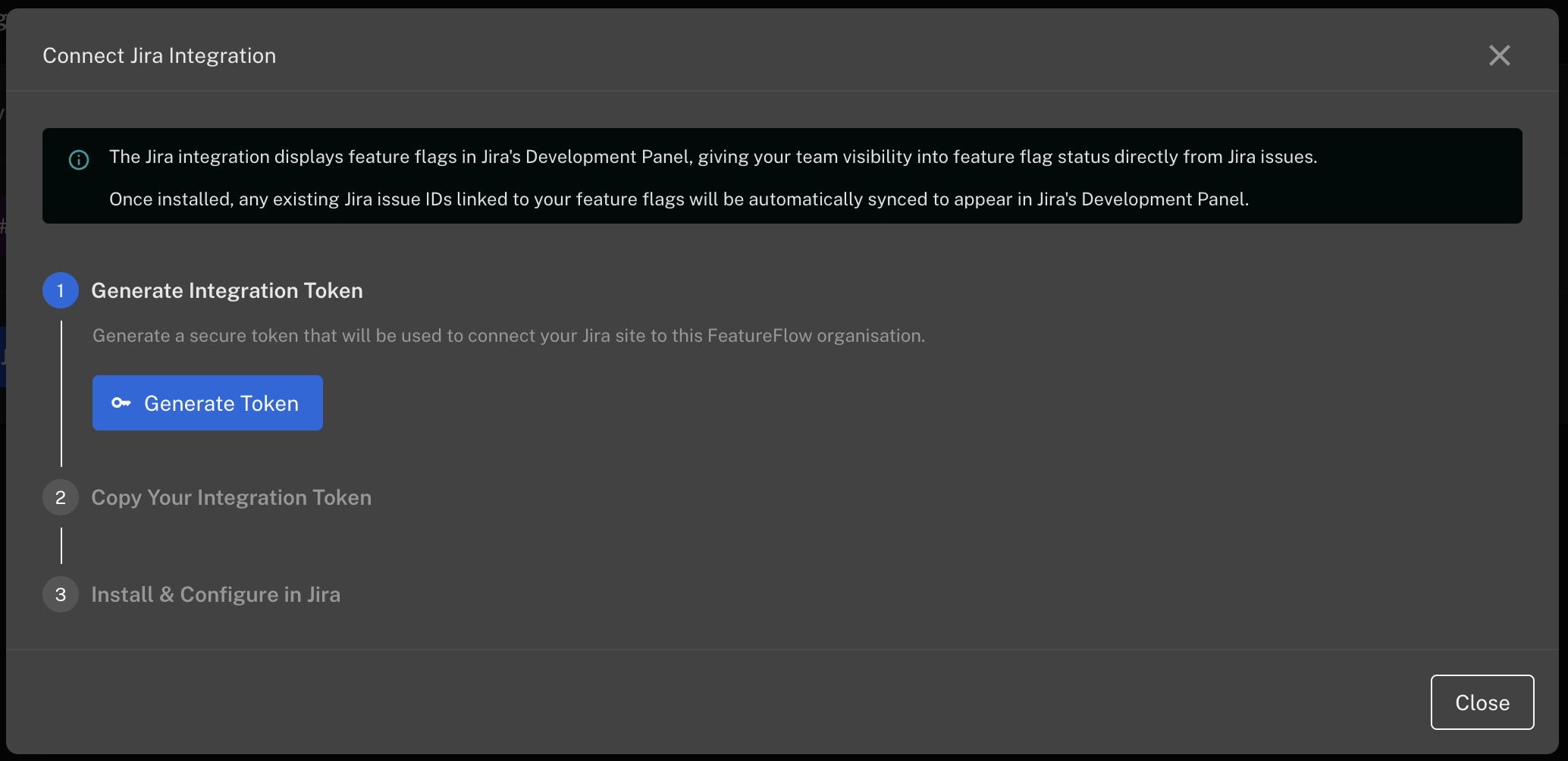
Click Generate Token to create a secure integration token.
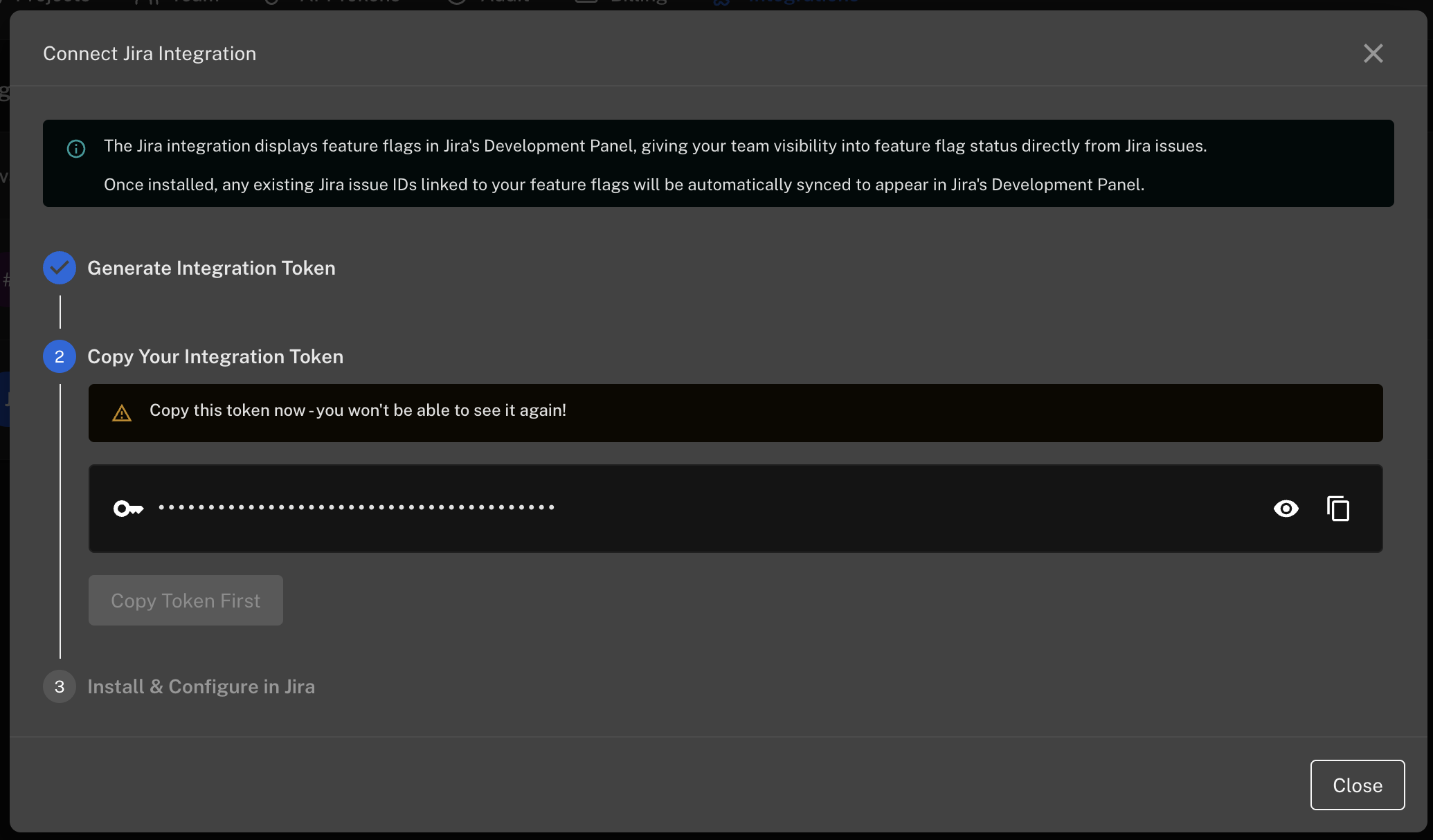
Copy the token — you won't be able to see it again.
2. Install the Featureflow App in Jira
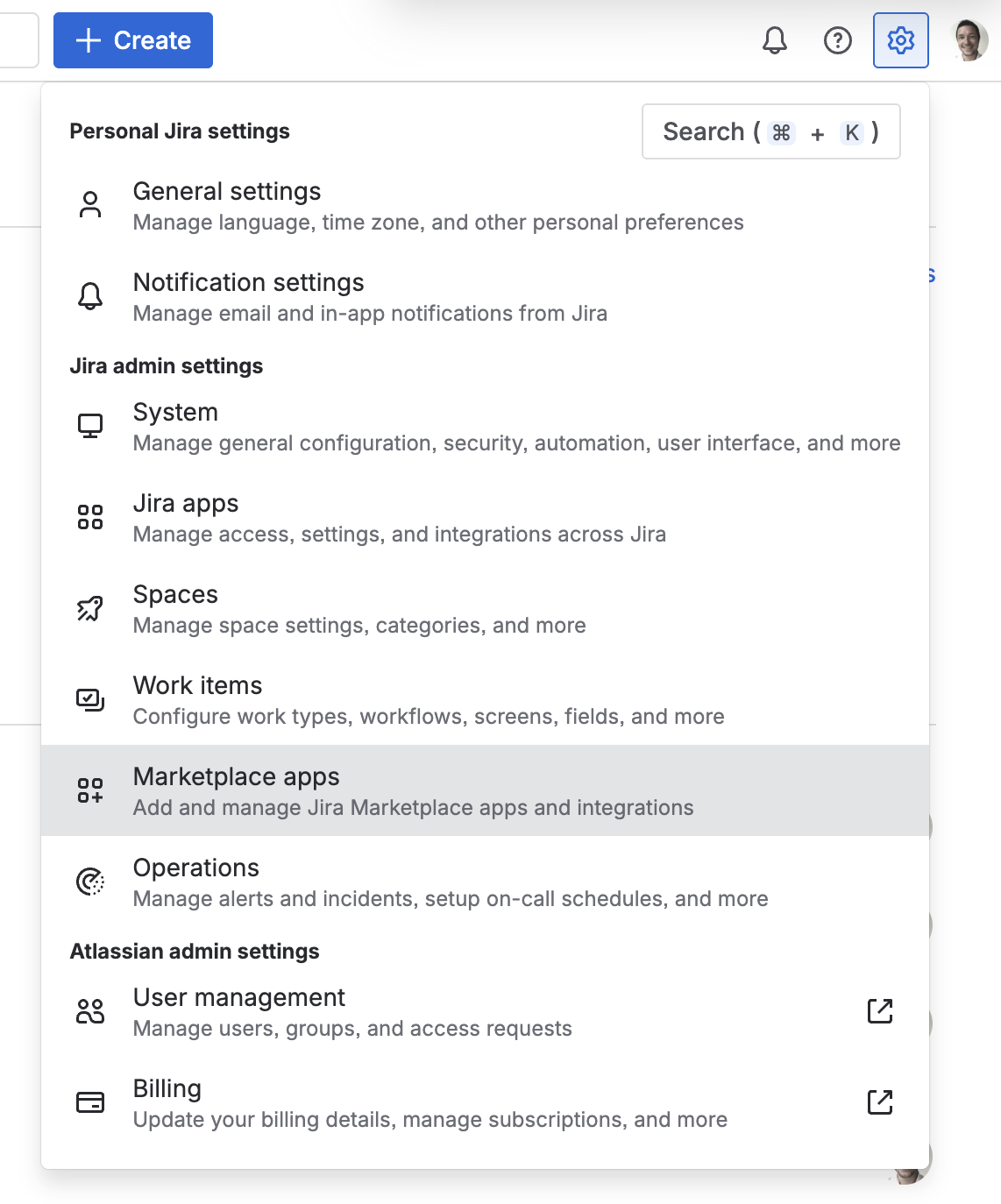
In Jira, click the Settings cog and select Marketplace apps.
Search for "Featureflow" and click Get it now.

3. Connect Featureflow to Jira
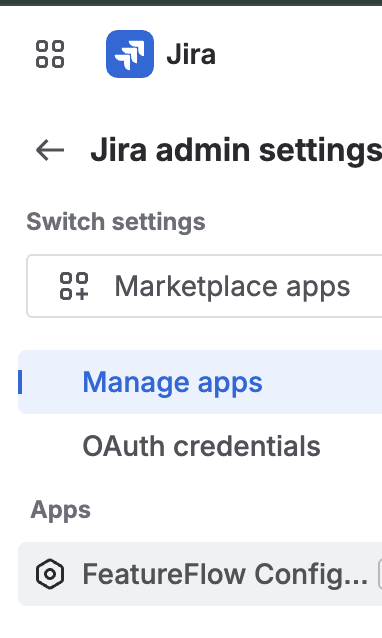
In Jira Settings, go to Manage apps and click FeatureFlow Configuration.
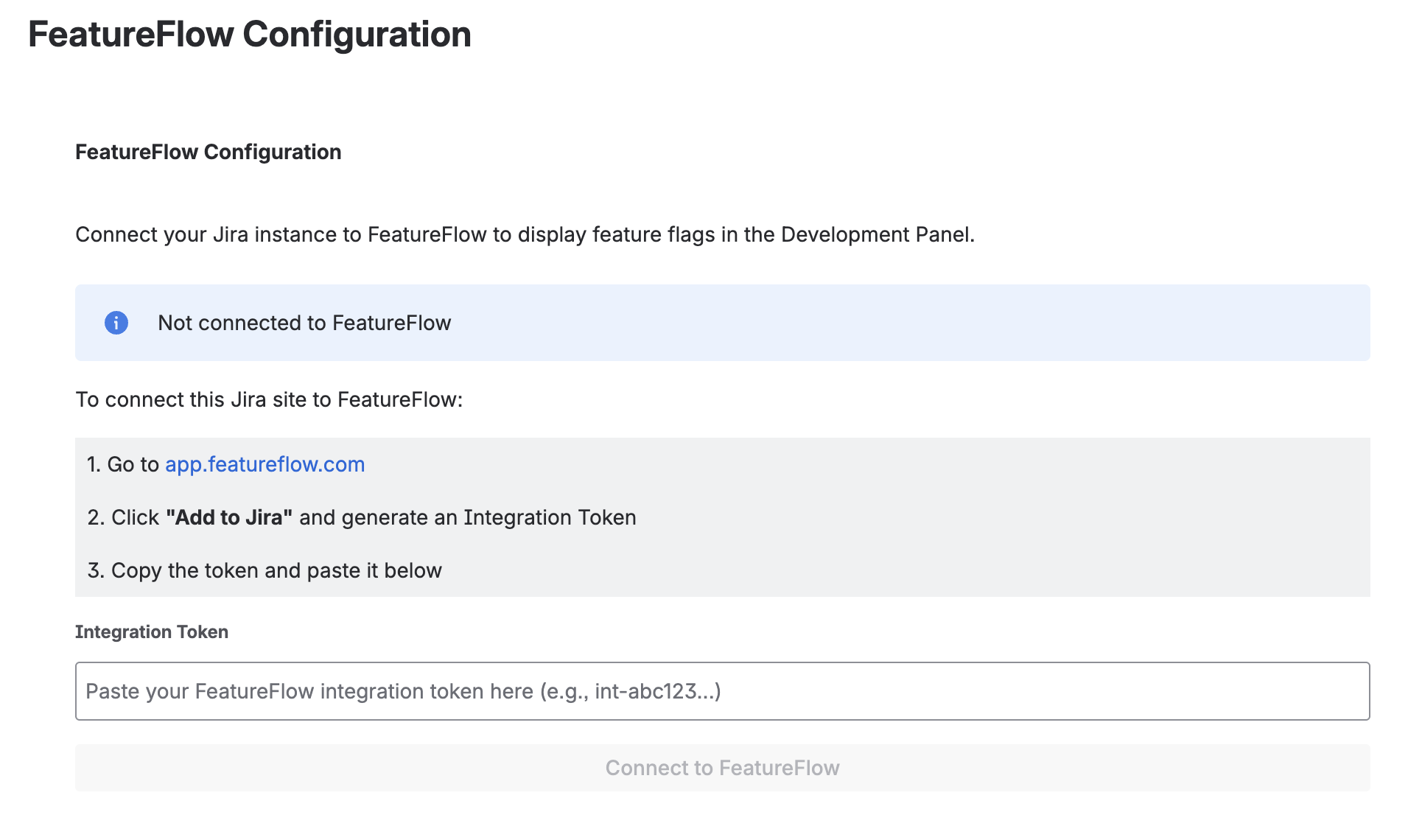
Paste your integration token and click Connect to FeatureFlow.
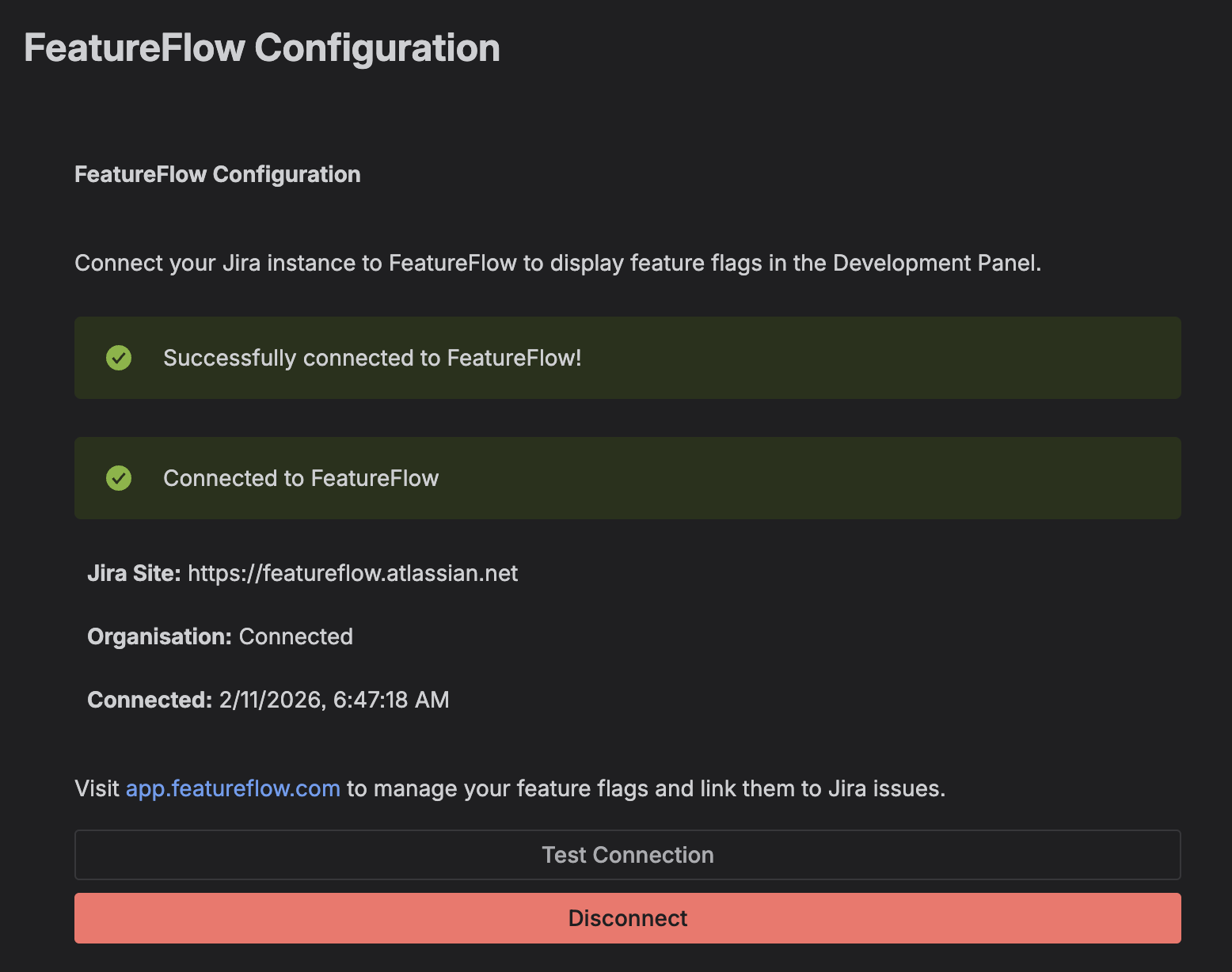
Once connected, you'll see a success message.
Migrating from the legacy Jira app
Featureflow – Feature Flags for Jira (Legacy) is the earlier Atlassian Connect app that worked with
the old per-domain Featureflow sites (yourdomain.featureflow.io). The current app connects to
app.featureflow.com and replaces it.
To migrate:
- In Jira, go to Settings → Apps → Manage apps and uninstall Featureflow – Feature Flags for Jira (Legacy).
- Follow the installation steps above: generate an integration token at app.featureflow.com, install the new Featureflow app from the Atlassian Marketplace, paste the token in FeatureFlow Configuration and click Connect to FeatureFlow.
Your Jira issue links are stored in Featureflow, not in the Jira app, so uninstalling the legacy app does not delete them. When the new app connects, every existing link is automatically re-synced and reappears in Jira's Development Panel.
The legacy app's Create flag and Link flag buttons opened your old yourdomain.featureflow.io
site; after migrating, they open app.featureflow.com.
Linking Features to Jira Issues
In Featureflow, edit any feature and add Jira issue keys (e.g., PROJ-123) to the Jira Issues field. These will automatically appear in Jira's Development Panel for that issue.
Uninstalling
To remove the integration:
- In Jira: Go to Manage apps → FeatureFlow Configuration and click Disconnect
- In Featureflow: Navigate to Administration → Integrations and click the trash icon next to the Jira integration