Webhook Integration
Send every feature flag change to a URL of your choosing as signed JSON. Use it to feed a service we do not integrate with directly — Honeycomb, New Relic, PagerDuty, a deployment log, an internal audit store, or a function you write yourself.
Before you start
You need:
- An HTTPS endpoint that accepts
POST. Featureflow calls it from its servers, sohttp://URLs and private addresses (localhost,10.x,192.168.x) are rejected. While you are trying things out, a throwaway endpoint from a service like webhook.site works well. - The Organisation Admin role in Featureflow.
1. Add the destination
Go to Administration → Integrations and find the Webhook card. The search box filters the catalogue if the list is long.
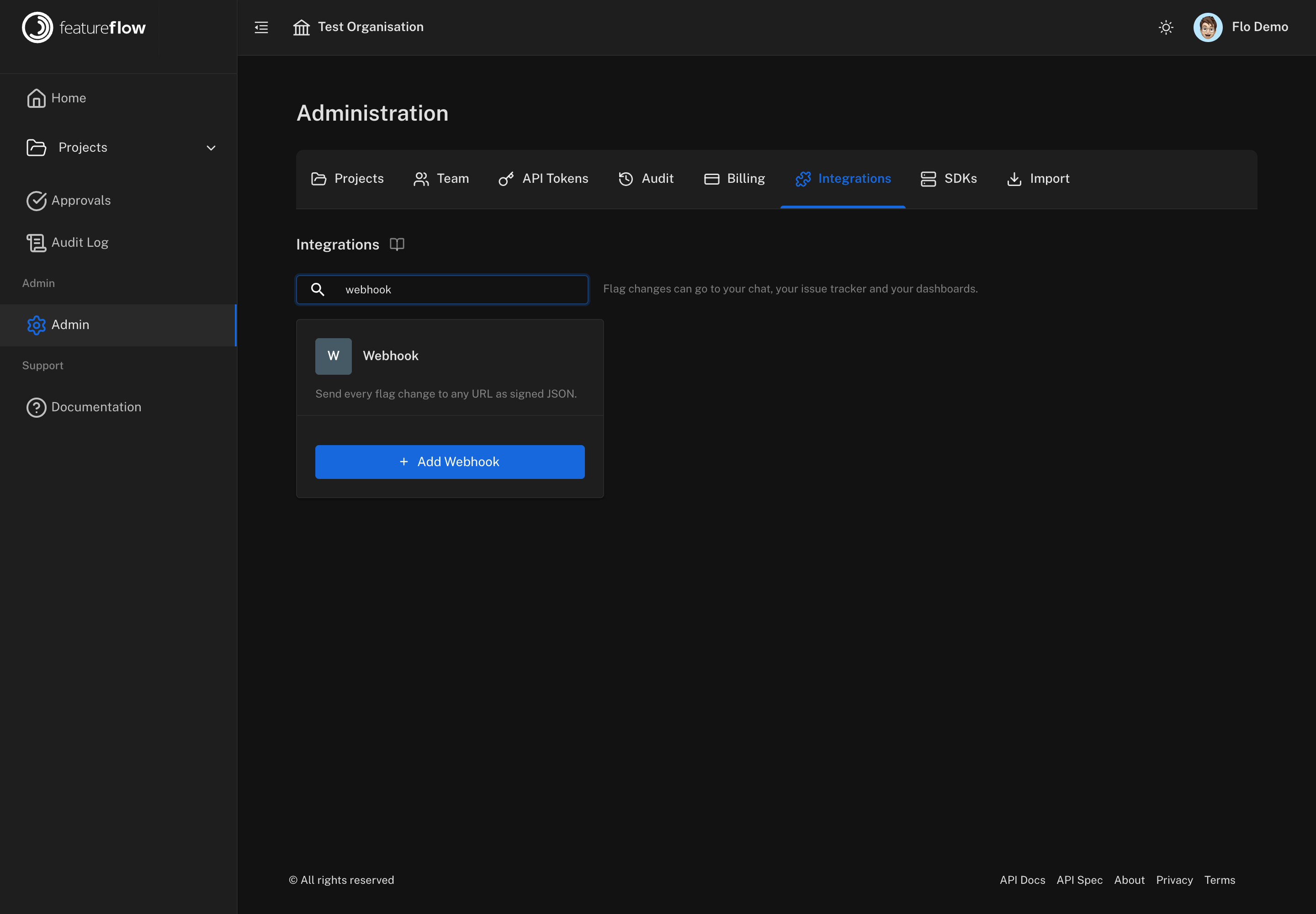
Click Add Webhook and fill in the form.
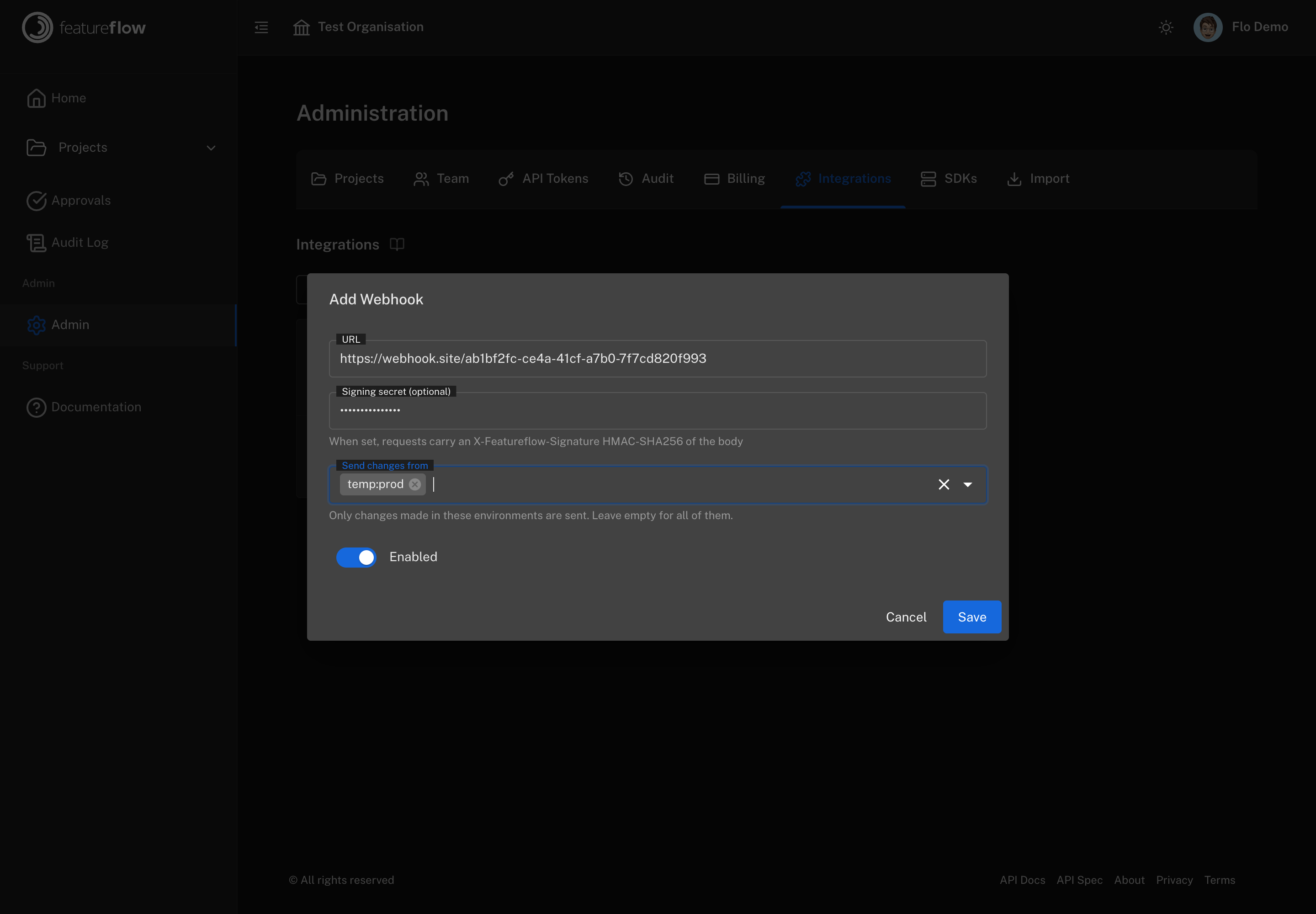
| Field | What to enter |
|---|---|
| URL | Where to POST each change. |
| Signing secret | Optional but recommended. When set, every request carries an X-Featureflow-Signature header so your endpoint can prove the call came from Featureflow. Stored write-only — it is never shown again, and editing the destination without re-entering it keeps the stored one. |
| Send changes from | The environments to send. Leave empty for all of them. Environments are listed as project:environment, because an environment key on its own is not unique across projects. |
| Enabled | Whether changes are sent. Turn it off to pause without deleting. |
2. Send a test event
Save, then click the send icon on the destination. Featureflow delivers a synthetic change through exactly the same path a real one takes, so a success here means the URL, the signature and the payload all work end to end.
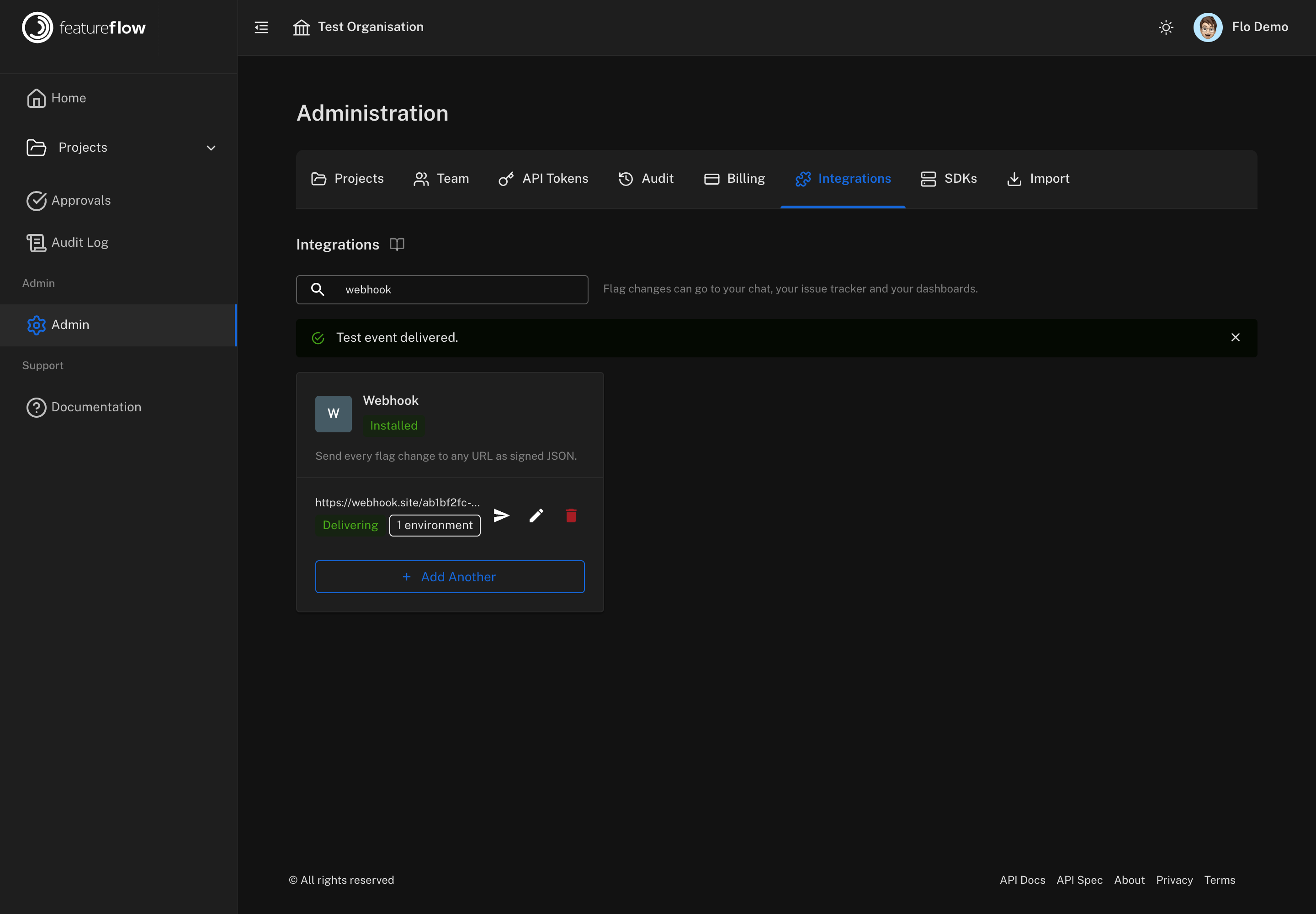
The destination shows Delivering once a delivery has succeeded, or Last delivery failed with the reason on hover. You can add as many webhooks as you like — one per service is normal.
The payload
POST, Content-Type: application/json:
{
  "type": "flag.change",
  "changeType": "updated",
  "occurredAt": "2026-08-14T19:48:47.245669+04:00",
  "project": { "key": "web", "name": "Web" },
  "environment": {
    "id": "5eee75800510eb2c743c89dc",
    "key": "production",
    "unifiedKey": "web:production",
    "name": "Production"
  },
  "feature": { "key": "checkout-v2", "name": "Checkout v2" },
  "actor": "Sam Rivers",
  "title": "Sam Rivers updated Checkout v2 in production",
  "description": "enabled the feature",
  "url": "https://app.featureflow.io/projects/web/features/checkout-v2/targeting/production",
  "tags": [
    "source:featureflow",
    "feature:checkout-v2",
    "project:web",
    "environment:production",
    "env:web:production",
    "change:updated"
  ]
}
Notes on the fields:
changeTypeiscreated,updatedordeleted.environment.unifiedKeyisproject:environment. Prefer it overkeywhen you correlate across projects — two projects can both have aproduction.actoris the person who made the change, orFeatureflowfor a test event.urllinks straight back to the flag.occurredAtis ISO-8601 with an offset.
Verifying the signature
When a signing secret is set, each request carries:
X-Featureflow-Signature: sha256=<hex>
That is an HMAC-SHA256 of the exact bytes of the request body, keyed with your secret. Verify it against the raw body before parsing — re-serialising the JSON first will change the bytes and the signature will not match.
import crypto from 'node:crypto';

// express.raw({ type: 'application/json' }) so req.body is a Buffer, not parsed JSON
app.post('/hooks/featureflow', express.raw({ type: 'application/json' }), (req, res) => {
  const expected =
    'sha256=' + crypto.createHmac('sha256', process.env.FEATUREFLOW_WEBHOOK_SECRET).update(req.body).digest('hex');
  const received = req.get('X-Featureflow-Signature') ?? '';

  const valid =
    expected.length === received.length &&
    crypto.timingSafeEqual(Buffer.from(expected), Buffer.from(received));
  if (!valid) return res.sendStatus(401);

  const change = JSON.parse(req.body.toString());
  console.log(`${change.feature.key} ${change.changeType} in ${change.environment.unifiedKey}`);
  res.sendStatus(200);
});
import hmac, hashlib

def valid_signature(raw_body: bytes, header: str, secret: str) -> bool:
    expected = "sha256=" + hmac.new(secret.encode(), raw_body, hashlib.sha256).hexdigest()
    return hmac.compare_digest(expected, header or "")
Compare with a constant-time function, as both examples do — a plain == leaks timing
information about the expected value.
What gets sent
Feature flag changes: targeting rule and on/off changes, and features being created or removed. Housekeeping such as description edits and API key rotations is deliberately not sent.
Delivery happens after the change is saved and never affects it. If your endpoint is
unreachable, Featureflow retries once, records the reason on the destination, and moves on.
Return a 2xx promptly — do your own processing after responding, since slow endpoints are
timed out.
Troubleshooting
"The URL must start with https://" — plain HTTP is refused, as is any private or link-local address, because Featureflow's servers make the call.
Test events arrive but real changes do not. Test events ignore the environment filter by design. Check that the destination lists the environment you are changing flags in, and that it is Enabled.
Signature never matches. Verify against the raw request body, before any JSON parsing or re-serialisation, and check the secret matches the one saved in Featureflow. If you have lost the secret, edit the destination and set a new one — the stored value is never shown again.