Amplitude Integration
Connect Featureflow to Amplitude in two complementary ways:
- Flag changes → chart annotations — every flag change appears as a marker on your Amplitude charts, giving you instant context when you're investigating a metric movement.
- Flag evaluations → exposure events — the JavaScript SDK sends
$exposureevents through your own Amplitude instance, so you can run A/B analysis in Amplitude Experiment without any extra tooling. See A/B testing with exposure events below.
Overview
When the integration is enabled, Featureflow posts an annotation to the Amplitude Chart Annotations API each time a feature flag changes state (rollout percentage, targeting rules, lifecycle status, etc.). The annotation is visible on every Amplitude chart in the project, grouped under the "Feature flags" category.
Prerequisites
- An Amplitude account with at least one project
- An API key and secret key for the Amplitude project (found in Amplitude → Settings → Projects → your project → General)
- Featureflow Administrator access
Setup
- In Featureflow, go to Administration → Integrations.
- Click Add integration and choose Amplitude.
- Enter your Amplitude API key and secret key.
- Choose the data residency region that matches your Amplitude account: US or EU.
- (Optional) Set an environment filter to restrict annotations to specific environments (e.g.
productiononly). - Click Save, then use the Send test event button to confirm the connection.
The test send goes through the real delivery path and reports the outcome — including the HTTP status Amplitude returned — so you can diagnose any credential or region issues immediately.
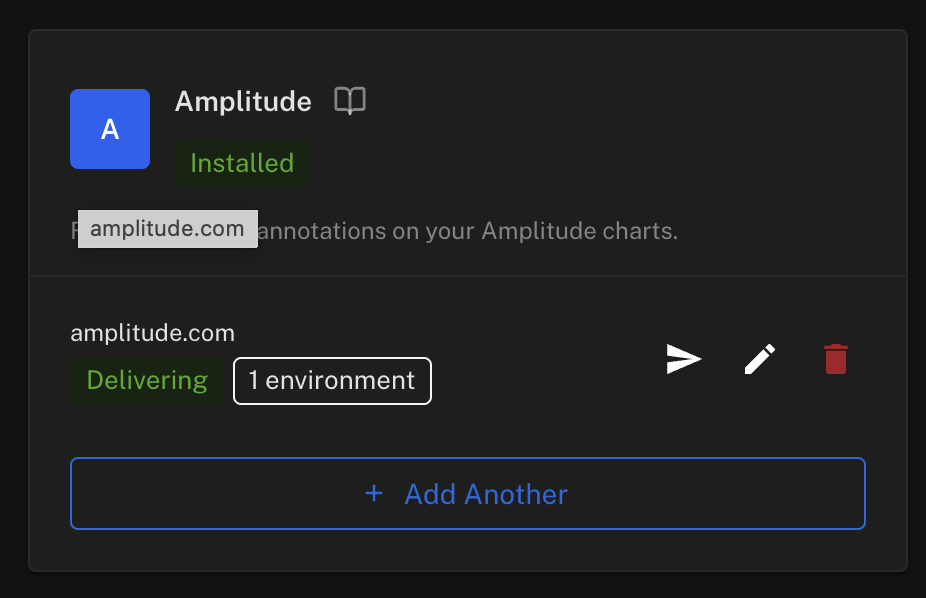
Once saved, the integration card shows an Installed badge and a Delivering status for each configured connection:
What triggers an annotation
Featureflow sends an annotation when any of the following occur on a feature flag:
| Change type | Example |
|---|---|
| Rollout percentage updated | 0 % → 50 % |
| Targeting rule added, edited, or removed | New segment targeting rule |
| Lifecycle status changed | Draft → Active, Active → Archived |
| Flag enabled or disabled | Kill-switch toggled |
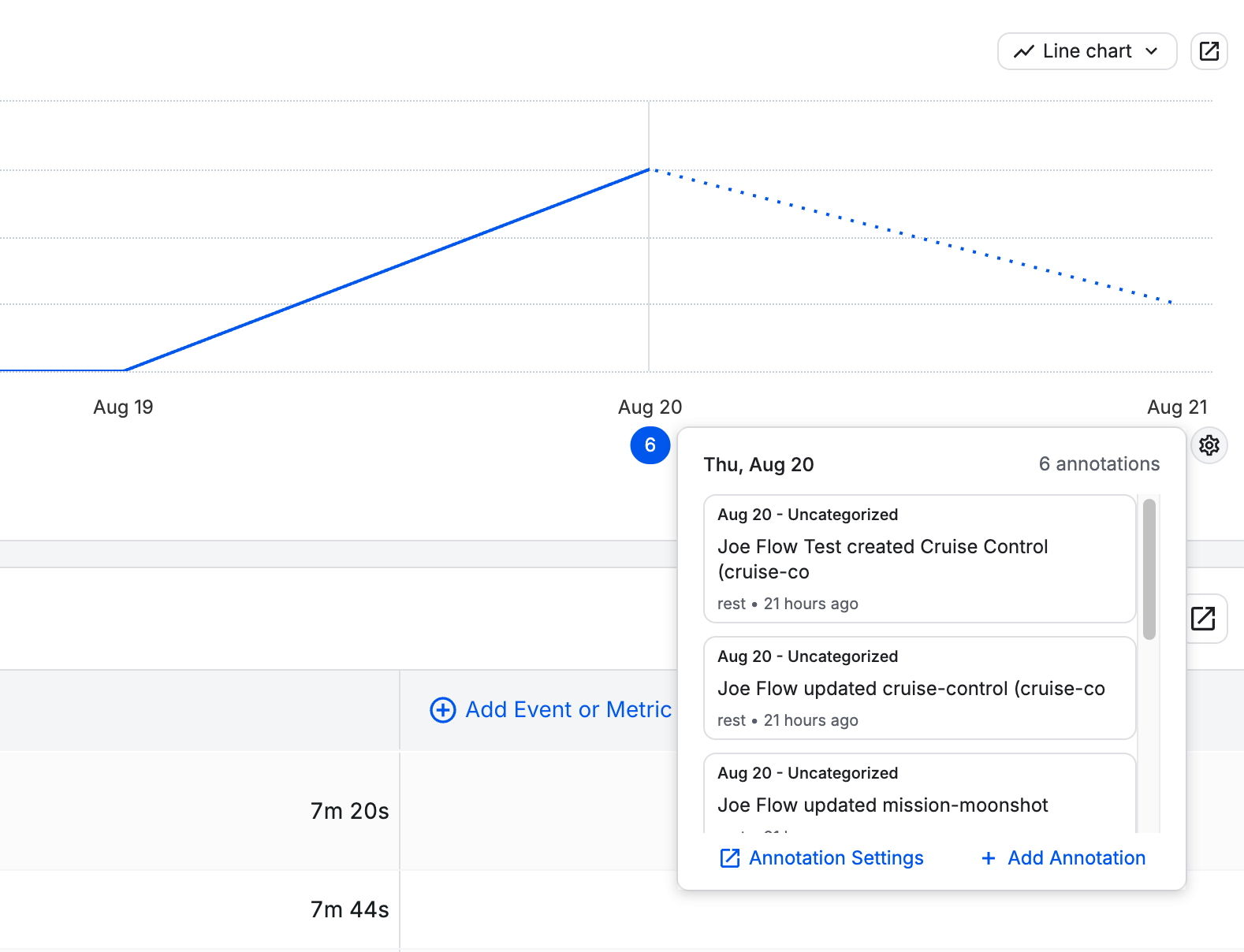
Annotations include the flag key, the environment name, the type of change, and the Featureflow user who made the change.
In Amplitude, the annotations appear on the chart's date axis — click one to see the full details of each flag change:
Annotation payload
Featureflow sends the following JSON body to the Amplitude annotations API:
{
  "label": "Jane Rivers updated Checkout v2 in production",
  "start": "2026-08-20T06:52:38+00:00",
  "details": "Feature: Checkout v2 (checkout-v2)\nEnvironment: production\nProject: web\nChanged by: Jane Rivers\n\nhttps://app.featureflow.com/projects/web/features/checkout-v2/targeting/production",
  "category": "Feature flags"
}
startis the moment the change happened, in ISO 8601 (UTC).categoryis always"Feature flags"— you can filter or hide this category in Amplitude's chart settings. Featureflow creates the category in your project automatically on the first delivery.- No
chart_idis sent, which makes the annotation global: it appears on every chart in the project.
Data residency
| Region | Amplitude endpoint used |
|---|---|
| US | https://amplitude.com/api/3/annotations |
| EU | https://analytics.eu.amplitude.com/api/3/annotations |
Select the region that matches where your Amplitude data is stored. Selecting the wrong region will result in authentication errors.
Failure behaviour
If Amplitude returns a non-2xx response, Featureflow retries once, then records the failure — the flag change itself is never blocked or delayed. The most recent delivery outcome (success or the error Amplitude returned) is shown next to the integration in Administration → Integrations, and you can re-trigger a test send from there to verify connectivity after fixing any credential issues.
A/B testing: send flag exposures to Amplitude
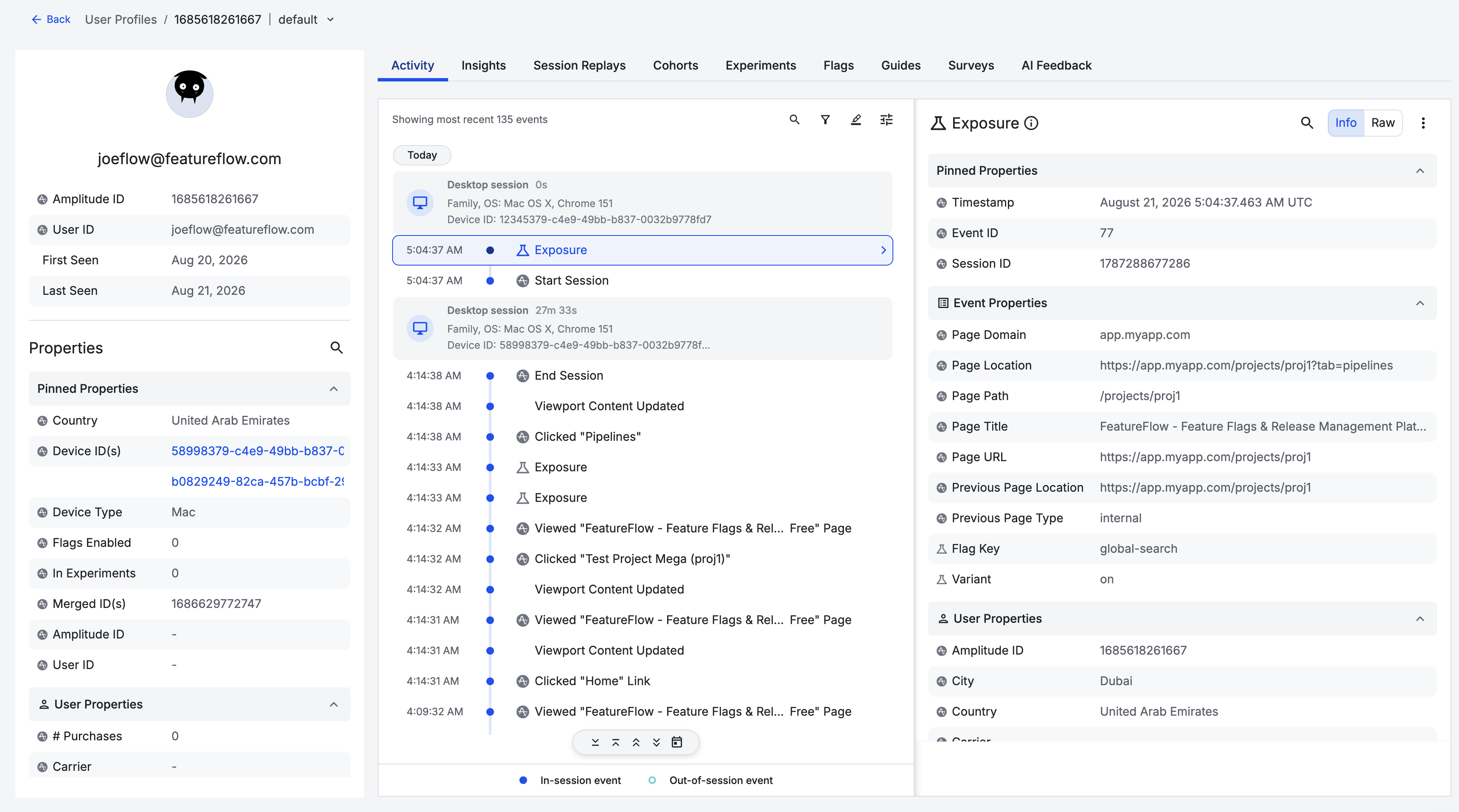
Annotations tell you when a flag changed; exposure events tell you which users experienced which variant — the assignment data Amplitude Experiment needs to run A/B analysis. The Featureflow JavaScript SDK (from featureflow-client 2.4.1, or react-featureflow-client 2.4.1) sends these through your own Amplitude instance in one line:
import Featureflow, { amplitudeIntegration } from 'featureflow-client';
import * as amplitude from '@amplitude/unified';

amplitude.initAll('YOUR-AMPLITUDE-API-KEY');

const featureflow = await Featureflow.init('your-js-client-key', {
  integrations: [amplitudeIntegration(amplitude)]
});
Every evaluate(key) call then:
- sends a
$exposureevent withflag_keyandvariant— the event Amplitude Experiment reads natively, so experiment analysis works with no configuration; - sets a
featureflow_<flagKey>user property via the Identify API, so any chart can be segmented by variant (disable withamplitudeIntegration(amplitude, { identify: false })).
Because events go through your Amplitude instance, they carry your Amplitude user and device identity automatically — there is no user-id mapping to configure, and anonymous pre-login events merge into the identified user as usual. Exposures are deduplicated per user, flag and variant for the page's lifetime, so calling evaluate() on every render will not inflate your Amplitude event volume; a variant or user change sends a fresh exposure.
Send only the flags you're experimenting with
Most flags are operational — kill switches, infra toggles — and every exposure is billed Amplitude event volume plus a user-property slot. From featureflow-client 2.5.0, the flags option limits exposures to the flags you actually analyse:
// An explicit allowlist…
amplitudeIntegration(amplitude, { flags: ['checkout-v2', 'pricing-test'] })

// …or a predicate — handy with a flag naming convention
amplitudeIntegration(amplitude, { flags: (key) => key.startsWith('exp-') })
Omitted, every flag sends (the default); an empty array sends none. The filter gates both the $exposure event and the featureflow_<flagKey> user property.
Using a different analytics tool? amplitudeIntegration is built on the generic exposureIntegration (from featureflow-client 2.6.0), which gives any tool the same deduplication and flags filter — you write only the event:
import Featureflow, { exposureIntegration } from 'featureflow-client';

exposureIntegration(({ key, variant }) => {
  posthog.capture('$feature_flag_called', { $feature_flag: key, $feature_flag_response: variant });
}, { flags: (key) => key.startsWith('exp-') })
Ready-made recipes: Mixpanel, PostHog, Segment and Google Analytics — or see A/B testing with your analytics tool for the whole loop. Underneath, the raw EVALUATION event fires synchronously on every evaluate(key) call (evaluateAll() does not fire it); a listener that throws is logged and swallowed — it can never break flag evaluation.
Server-side, the Node SDK (from featureflow-node-sdk 0.9.0) emits an equivalent raw evaluation event — { key, variant, value, user }, fired each time a variant is read — that you can forward to any tool's server API with your own user-id mapping. See the Node SDK README.
REST API reference
Outbound destinations, including Amplitude, are managed under the admin integrations API. All calls require an api- personal access token with administrator access; the organisation is always taken from the token, never from the request body.
Create
POST /api/v1/admin/integrations/outbound
Authorization: Bearer <api-token>
Content-Type: application/json

{
  "type": "amplitude",
  "enabled": true,
  "configuration": {
    "amplitude": {
      "apiKey": "your-amplitude-api-key",
      "secretKey": "your-amplitude-secret-key",
      "region": "US",
      "filter": { "environmentIds": ["<environment-id>"] }
    }
  }
}
region is "US" or "EU". Omit filter (or leave environmentIds empty) to send changes from every environment. The keys are write-only — they are accepted on create and update but never returned in any response.
Update
PUT /api/v1/admin/integrations/outbound/{id}
Same body as create. Leaving apiKey or secretKey blank keeps the stored value.
Delete
DELETE /api/v1/admin/integrations/outbound/{id}
Test
POST /api/v1/admin/integrations/outbound/{id}/test
Sends a synthetic flag change through the real delivery path and returns the integration with its delivery status fields (lastDeliveryAt, lastDeliverySuccess, lastDeliveryDetail).
Any problems? Reach us via the in-app chat or at support@featureflow.io.