Personal Access Tokens
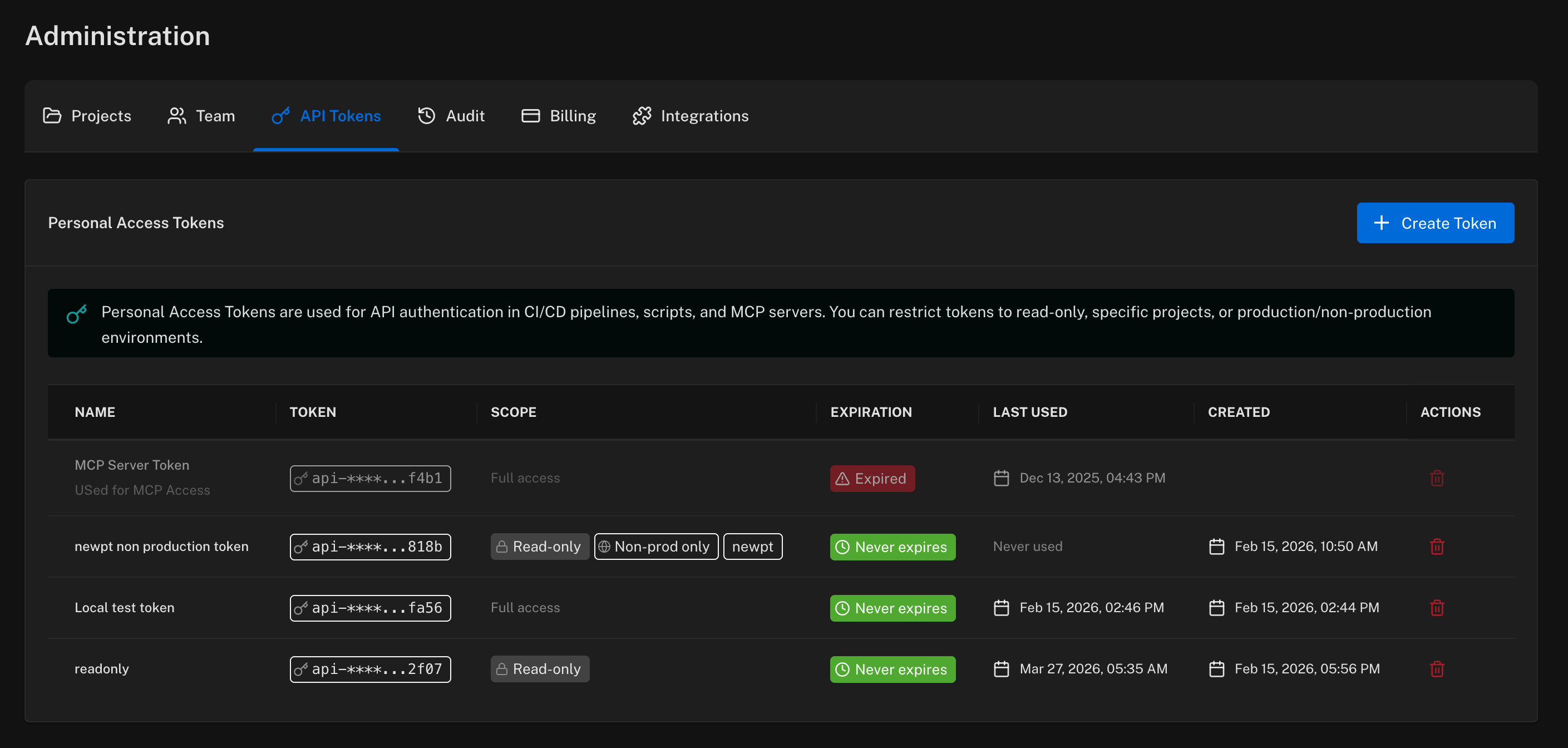
Personal Access Tokens (PATs) authenticate programmatic access to Featureflow — the REST API, CI/CD pipelines, scripts, and the Featureflow MCP server for AI assistants. Tokens start with api- and act on your behalf, with your permissions (or less — see scoping below).
Manage them under Admin → API Tokens.
Creating a token
Click Create Token and fill in:
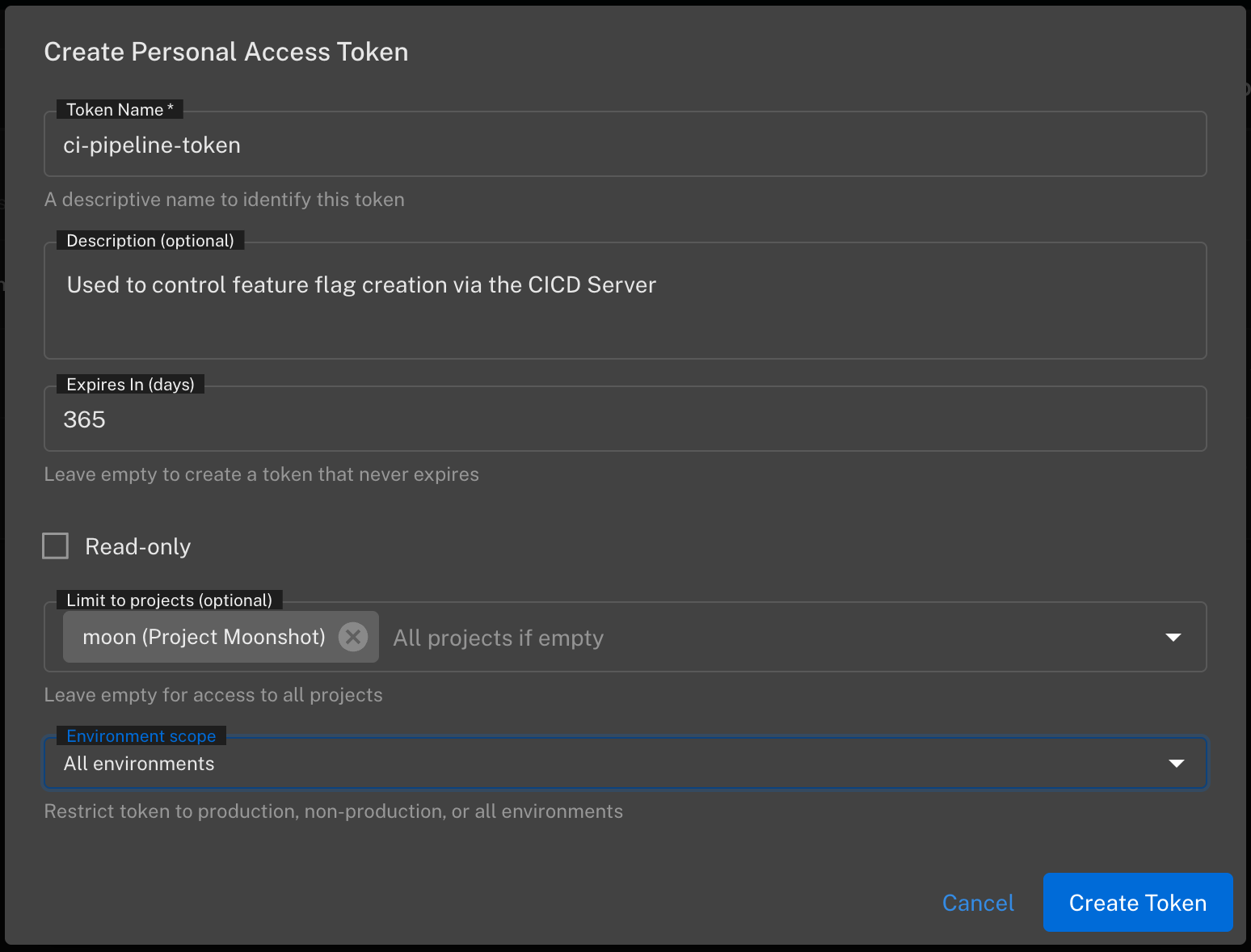
- Token Name — a descriptive name so you can identify it later (e.g.
ci-pipeline-token). - Description — optional, what the token is used for.
- Expires In (days) — leave empty for a token that never expires. For automation we recommend setting an expiry and rotating.
- Read-only — the token can read flags and configuration but not change anything.
- Limit to projects — restrict the token to one or more projects. Empty means all projects.
- Environment scope — restrict the token to production, non-production, or all environments. A non-production token is a safe default for test automation.
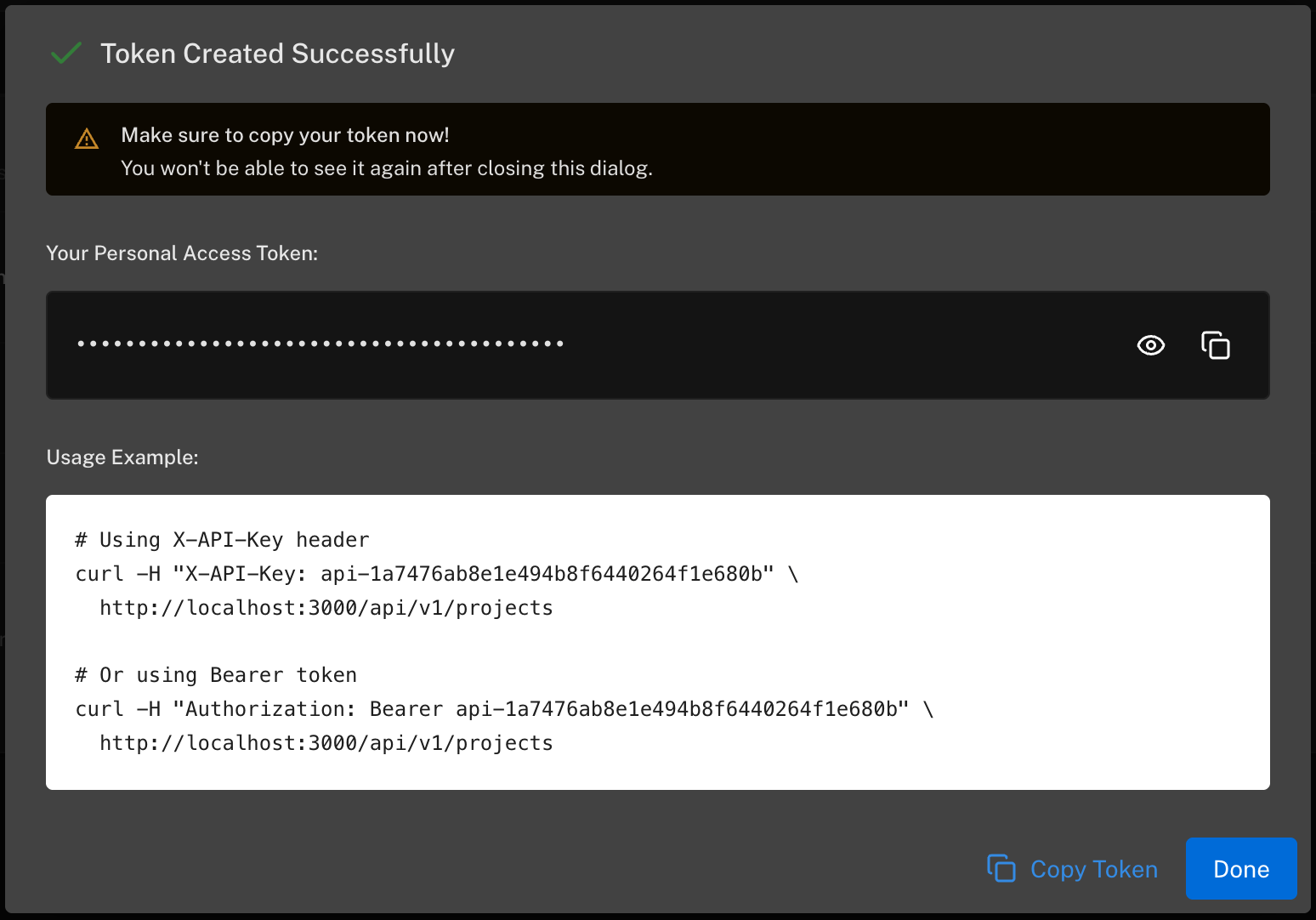
The token value is shown once, when it's created — copy it immediately. If you lose it, delete the token and create a new one.
Using a token
Send the token with either header style:
# X-API-Key header
curl -H "X-API-Key: api-your-token-here" \
  https://api.featureflow.com/api/v1/projects

# Or as a Bearer token
curl -H "Authorization: Bearer api-your-token-here" \
  https://api.featureflow.com/api/v1/projects
The full REST API is documented in the API Reference. The same token authenticates the MCP server, which lets AI coding assistants create and manage flags for you.
PATs (api-) are for the management API — creating projects, features, targeting rules. They are different from the per-environment SDK keys (srv- server keys and client JS keys) that your applications use to evaluate flags. SDK keys live under each environment in the project's Environments tab.
Security recommendations
- Scope tokens to the fewest projects and environments they need; prefer read-only where possible.
- Set an expiry for tokens used by automation, and rotate them.
- Store tokens in your CI system's secret store — never commit them to source control.
- The list shows each token's last used time — delete tokens that are no longer in use (the bin icon revokes a token immediately).