Archiving & Deleting Features
When a feature flag has done its job — the rollout is complete and the flag has been removed from your code — clean it up in two steps: archive it (reversible), then optionally delete it permanently.
If you're not sure whether a flag is ready for cleanup, check its lifecycle status: Stale means it has been serving one variant to all production traffic beyond its stale period, and statistics will confirm whether it's still receiving traffic.
Archiving a feature
Archive from the feature's Settings tab:

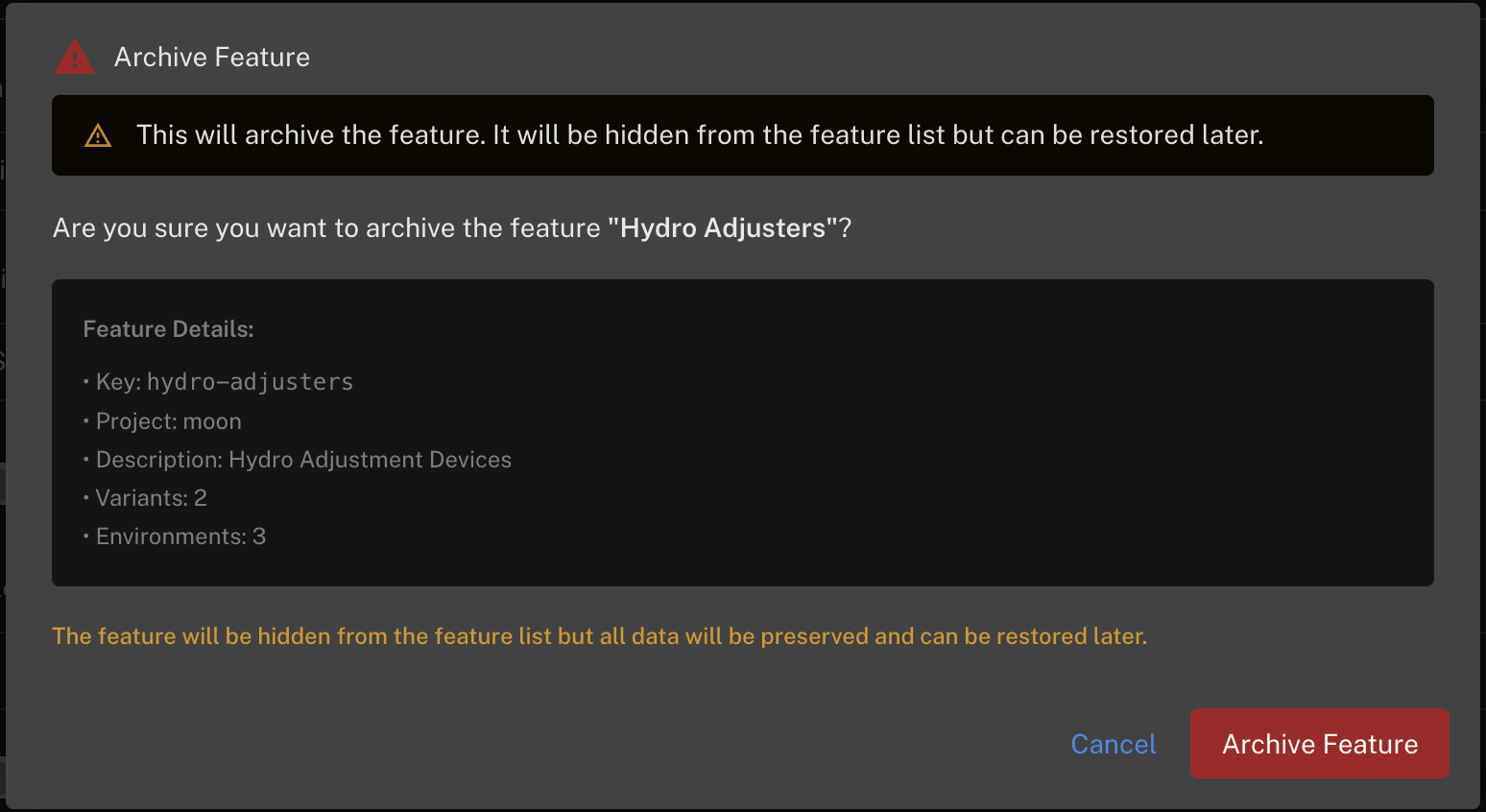
Archiving hides the feature from the active feature lists but preserves all of its data — variants, targeting rules and environment configuration. An archived feature stops being on a release journey and shows as Archived on its lifecycle timeline.
To find archived features, use the Archived tab on the home page feature list:
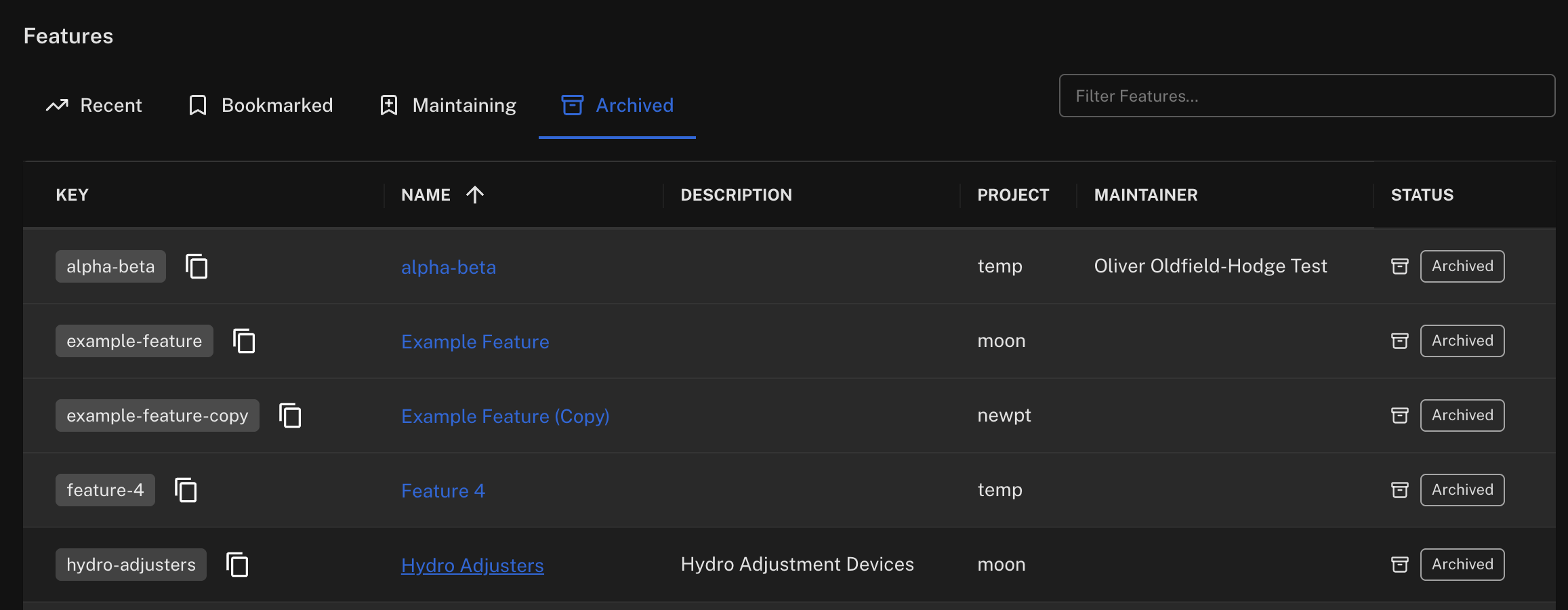
Restoring
Open an archived feature and its Settings tab offers Restore Feature, which makes it active again with all its configuration intact:

Deleting a feature permanently
Once a feature is archived, a Delete Permanently action appears alongside Restore. This removes the feature and its targeting configuration in every environment, and it cannot be undone — you'll be asked to type the feature key to confirm:
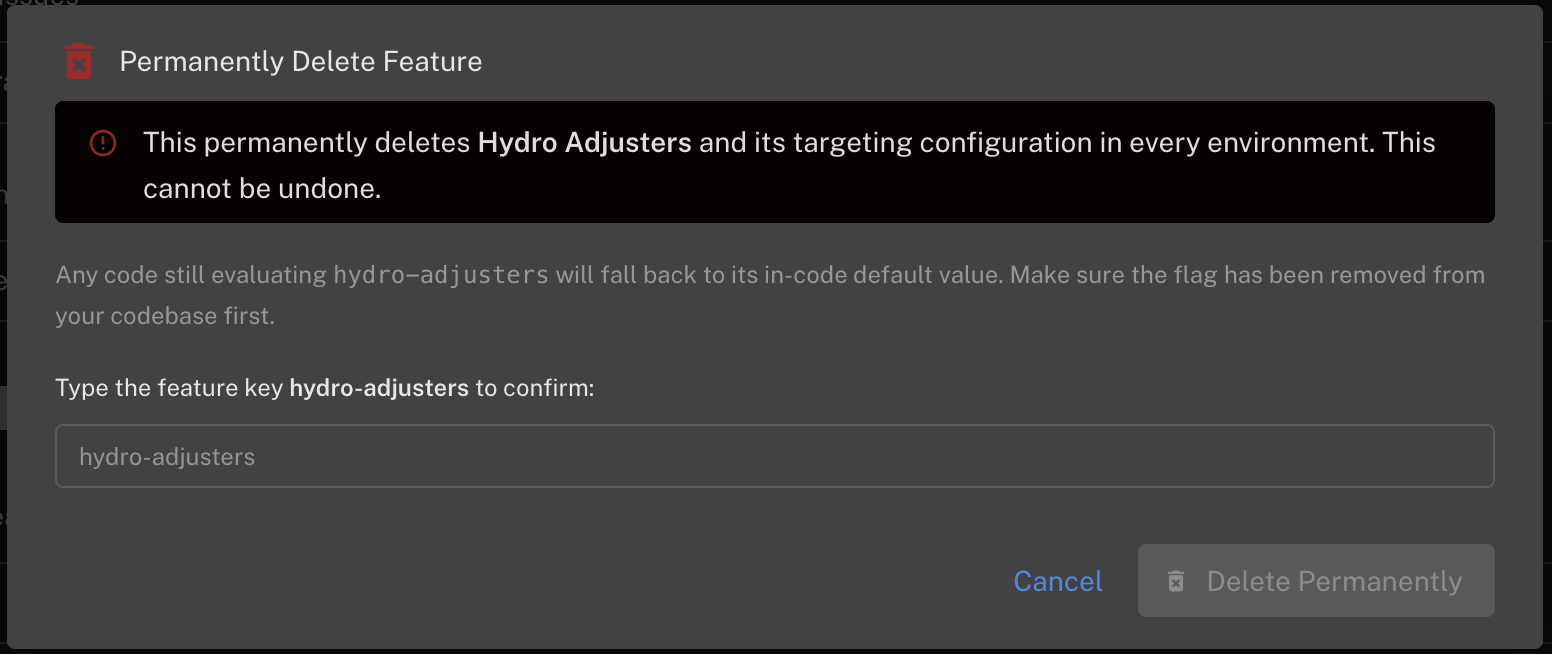
Before deleting, make sure the flag is no longer evaluated anywhere: any code still calling evaluate('your-feature-key') will fall back to the default value defined in your code.
Archiving and deleting require production editor or admin permissions. Deletion is only available for archived features — there's no way to delete an active feature in one step, by design.
Recommended cleanup workflow
- The feature shows Stale (or you've decided it's permanent-on) — the rollout is done.
- Remove the flag and the dead code branch from your codebase and deploy.
- Confirm the feature's statistics show no new impressions.
- Archive the feature.
- Once you're confident you won't need its configuration again, Delete Permanently.