Import from LaunchDarkly
Move a LaunchDarkly project into Featureflow in a few minutes: environments, flags, targeting rules, percentage rollouts and segments all come across, and you get a preview and a per-flag report before anything is written.
The import follows one rule: it never guesses. Anything that cannot be represented in Featureflow exactly as it behaved in LaunchDarkly is imported with that flag's targeting disabled and a note explaining why — a migrated flag can never quietly serve different values than it did before.
What you need
- Organisation admin access in Featureflow (imports create projects and environments)
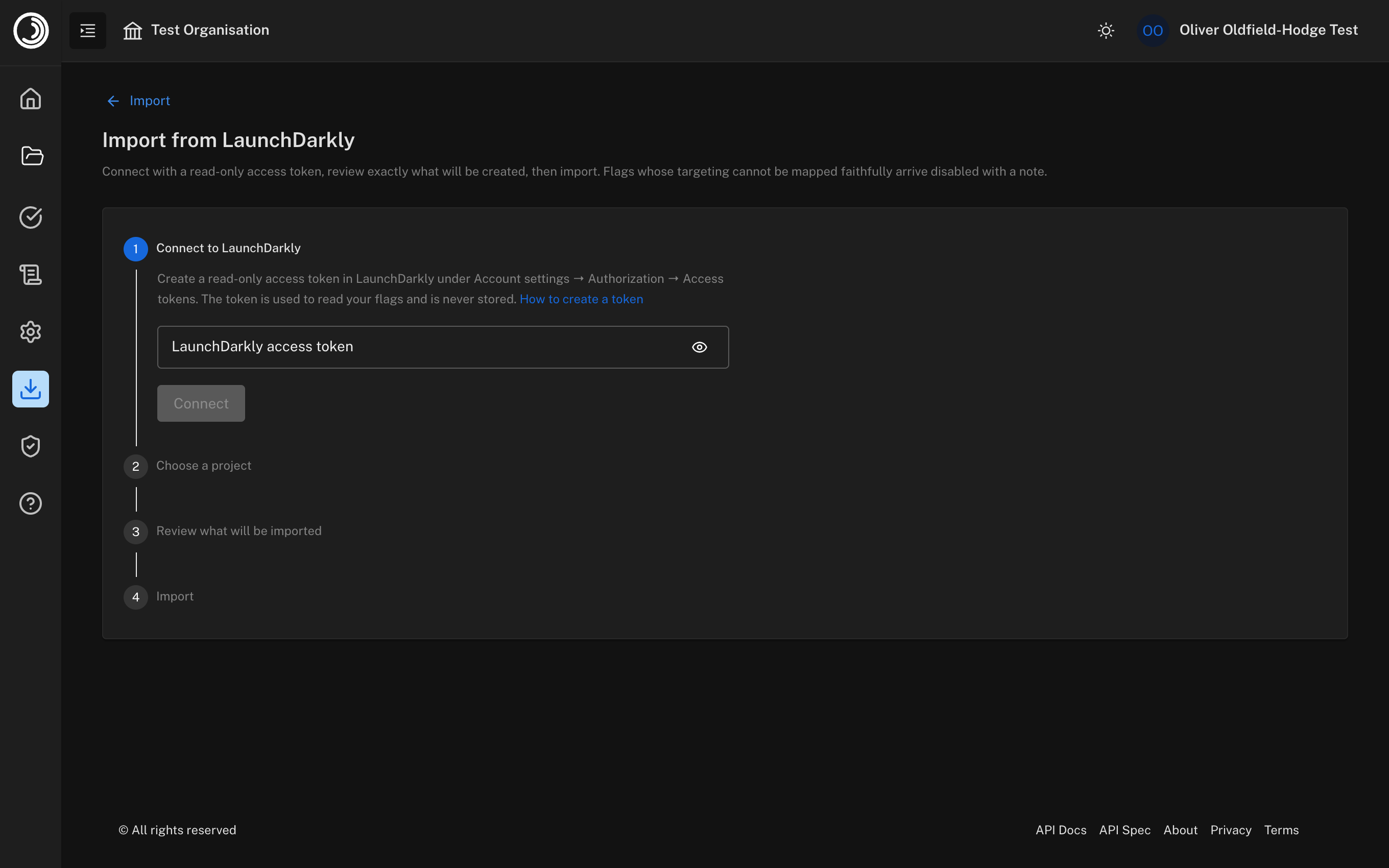
- A LaunchDarkly read-only access token — create one in LaunchDarkly under Account settings → Authorization → Access tokens. The token is used to read your flags during the import and is never stored; revoke it in LaunchDarkly afterwards.
Running an import
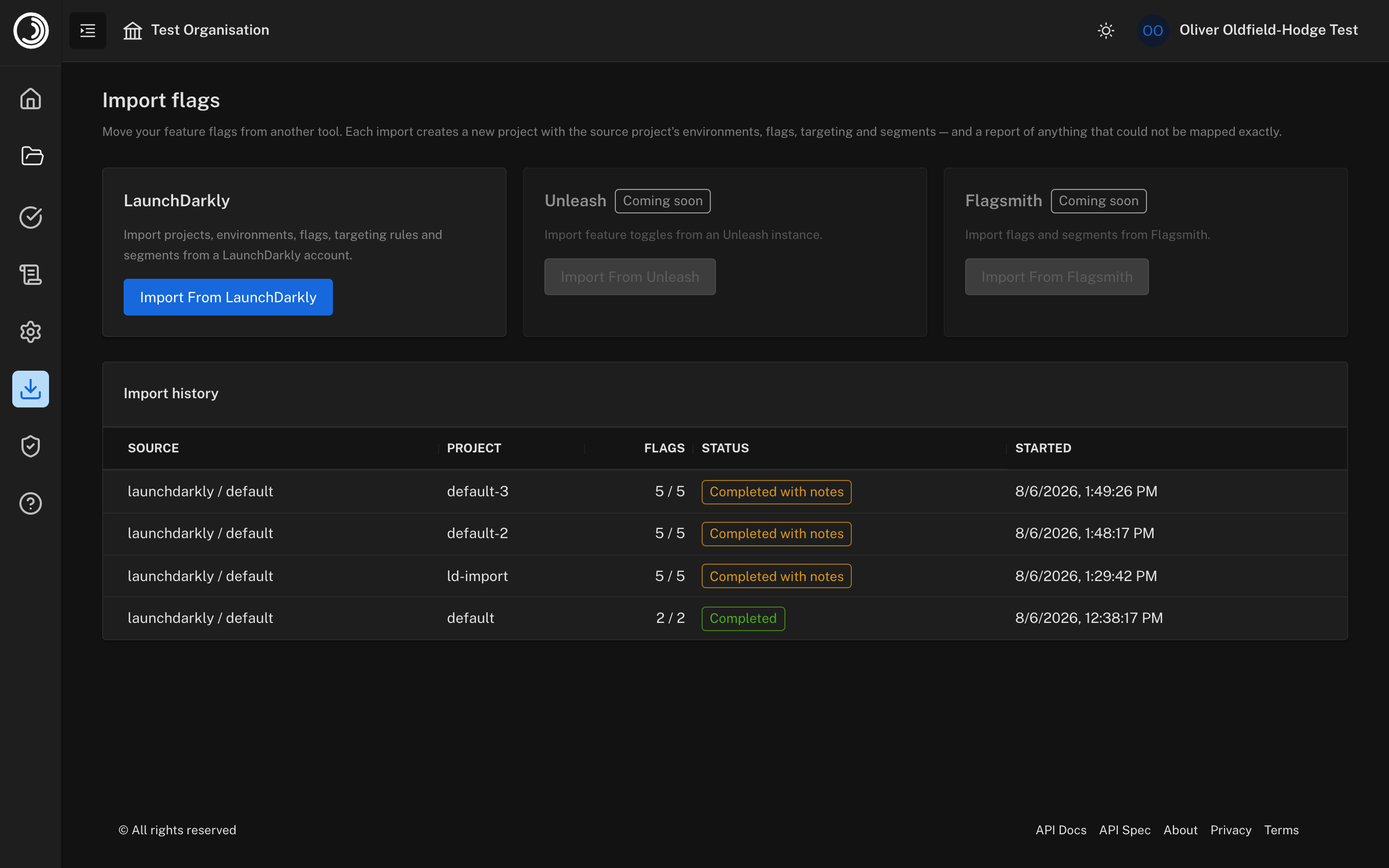
Open Import Flags from the left navigation and choose LaunchDarkly:
Paste your read-only access token and connect:
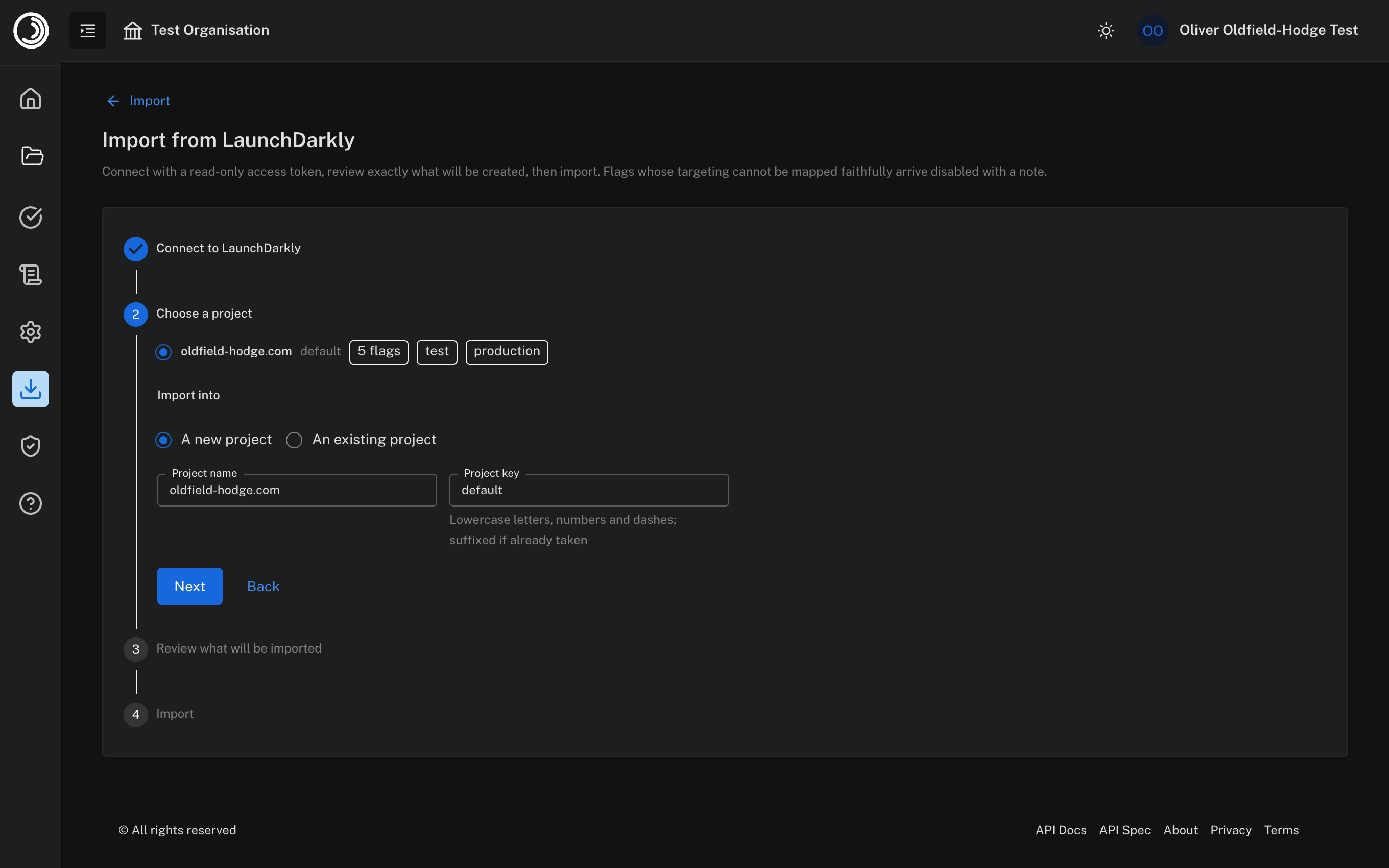
Pick the LaunchDarkly project to import and where it should land — a new project (the name and key are prefilled from the source and fully editable) or an existing project:
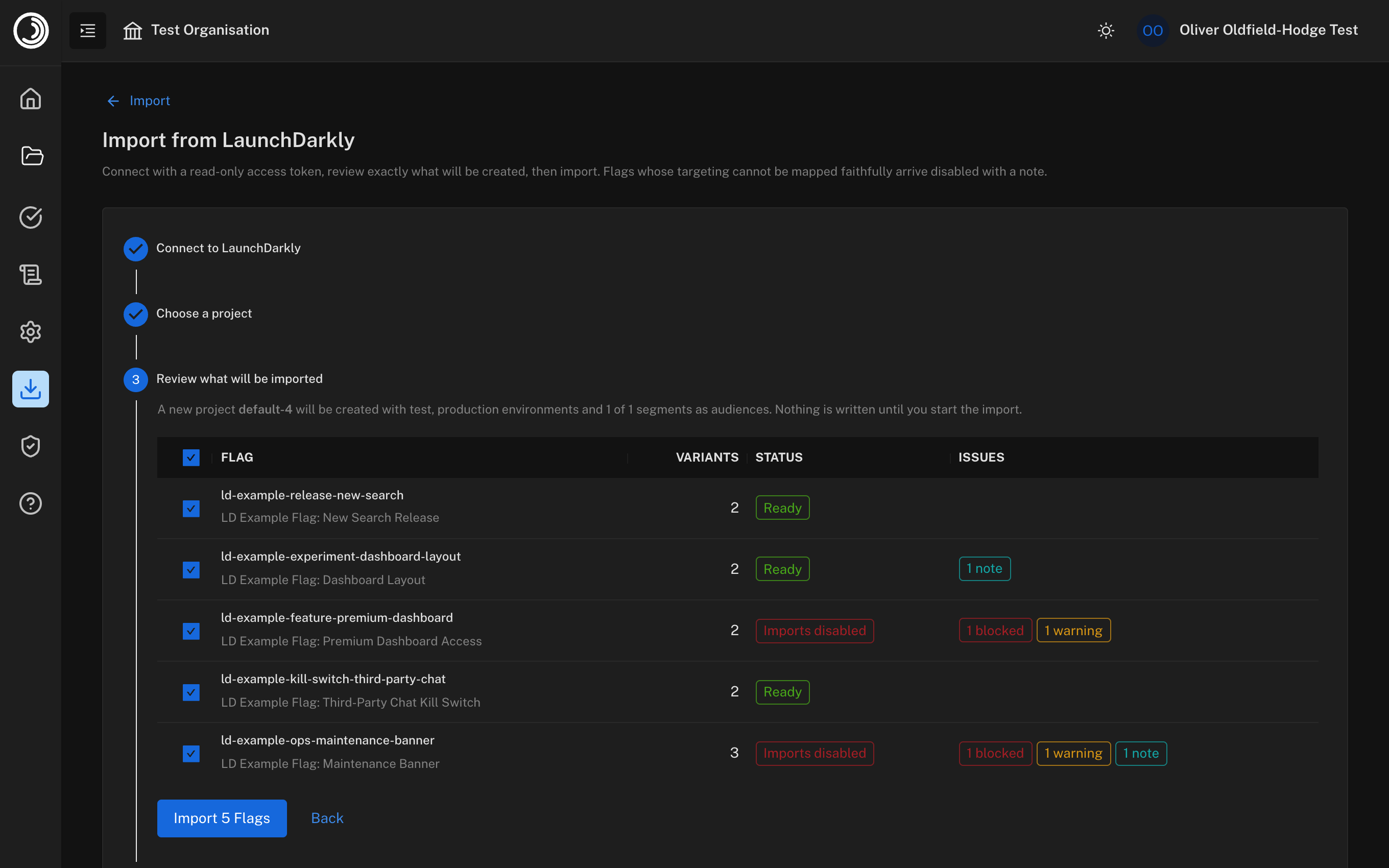
Review exactly what will be created. Every flag shows its status: Ready means a faithful one-to-one mapping; Approximated means something minor changed (for example rollout weights rounded to whole percents), and Imports disabled means part of the targeting has no Featureflow equivalent, so that flag arrives switched off with a note. Deselect anything you don't want. Nothing is written until you start the import:
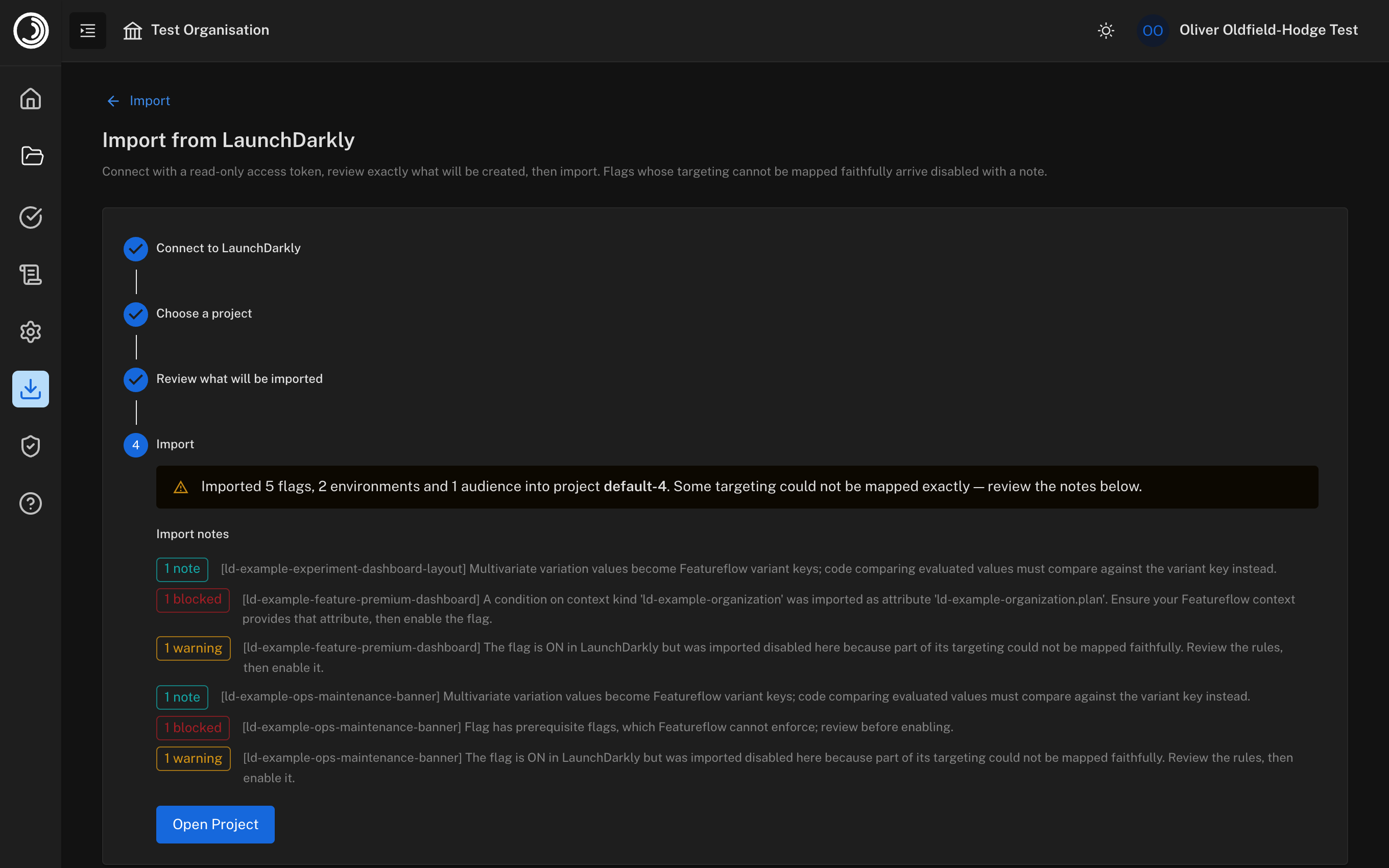
Run the import and review the report — every approximation and unmapped construct is listed, then open your new project:
What gets imported
| LaunchDarkly | Featureflow |
|---|---|
| Project | A new (or existing) project |
| Environments | Environments, matched by key |
| Flags (boolean and multivariate) | Features with variants |
| Variations | Variants — variation values become variant keys, and JSON variation values are kept as variant payloads |
| Targeting on/off | Feature targeting enabled/disabled per environment |
| Individual user targets | Rules on the user key attribute |
| Rules and clauses | Targeting rules with the same conditions, in the same order |
| Percentage rollouts | Variant splits (weights rounded to whole percents) |
| Fallthrough / default rule | The final catch-all rule |
| Off variation | The feature's off variant |
| Segments | Saved audiences, scoped to their environment — rules that referenced the segment reference the audience |
| Custom attributes used in clauses | Registered targeting attributes, ready for autocomplete |
What can't be mapped
These LaunchDarkly constructs have no Featureflow equivalent. A flag using one is still imported — with its targeting disabled in the affected environment and a note in the report — so you can review and decide, rather than having behaviour change silently:
- Prerequisites (flags gated on other flags)
- Big segments (their target lists are not available through the LaunchDarkly API)
- Segments with multiple rule branches or percentage-rollout rules
- Negated clauses (except is not in list, which maps cleanly)
- Semantic-version operators
- Non-user context targeting — a clause on another context kind (for example an
organizationattribute) is imported as a namespaced attribute such asorganization.plan. Add that attribute to the context your application sends to Featureflow, then enable the flag. - Experiment metrics — the flag and its variations import; LaunchDarkly experiment results do not.
Importing into an existing project
Choosing an existing project matches environments by key and creates any that are missing. Existing flags are never overwritten — a flag whose key already exists is skipped and reported, and audiences that already exist are not duplicated. Re-running an import is always safe.
After importing
- Update your SDK initialisation — swap the LaunchDarkly SDK for a Featureflow SDK and use the new environment's server or client key.
- Check code that compares variation values. LaunchDarkly returns the variation value; Featureflow evaluation returns the variant key (which the import derives from your variation values, so simple string variations usually match unchanged).
- Review any flag imported disabled, fix what the note describes, and enable it.
- Revoke the LaunchDarkly access token you used for the import.