Compare environments and copy targeting
Before you promote a release, repoint an SDK key, or retire an environment, you want to know whether two environments actually evaluate the same — and, when they don't, to bring one in line with the other without re-entering every rule by hand.
On a project's Environments tab, click Compare environments, then pick a source and a target. Every non-archived feature in the project is listed side by side.
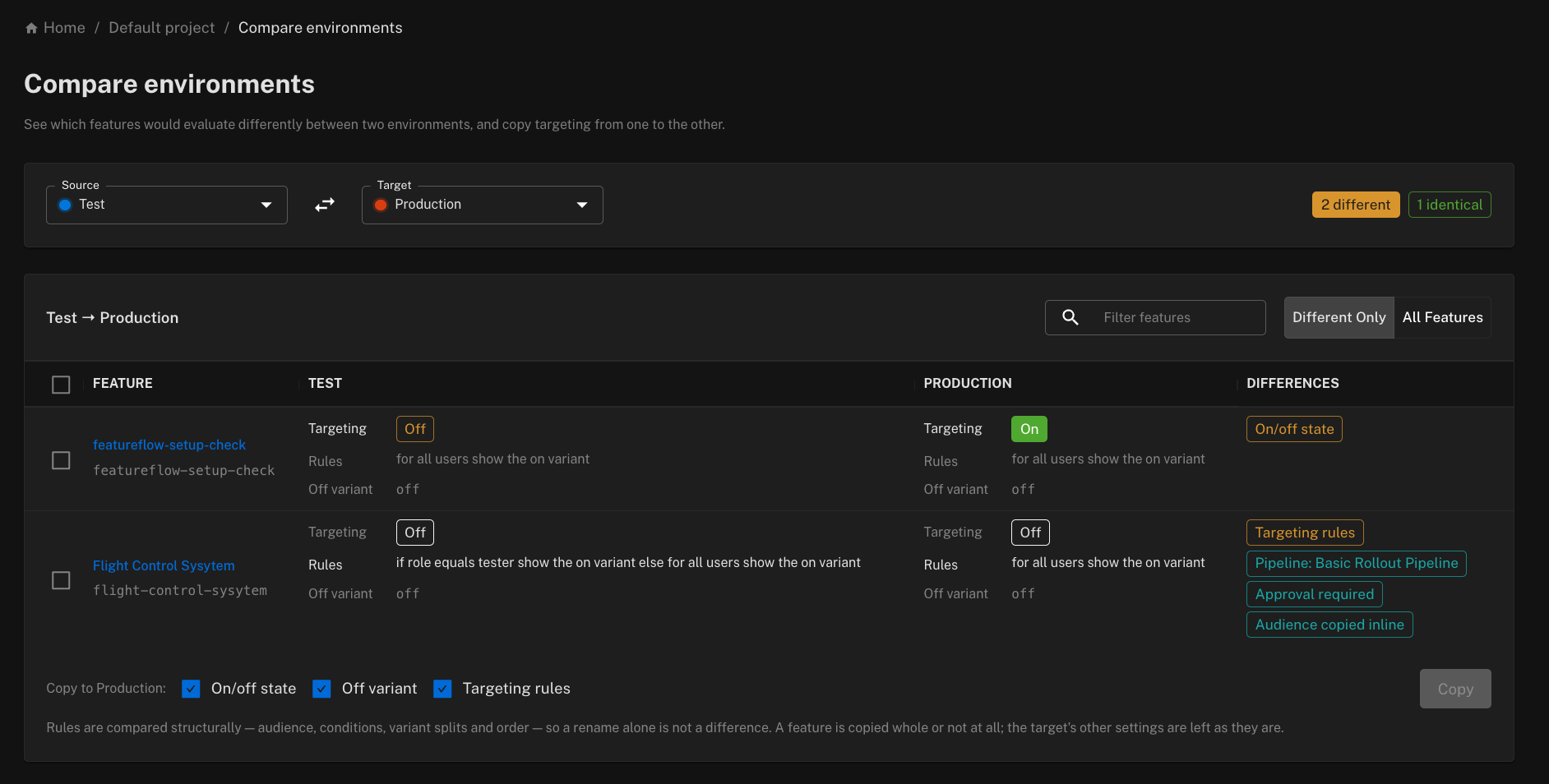
Reading the comparison
Each environment column shows three things for every feature:
- Targeting — whether targeting is on or off.
- Rules — the targeting rules, shown whether targeting is on or off. Rules apply the moment targeting is switched on, so an environment that is off but carries different rules is still reported as different.
- Off variant — the variant served while targeting is off.
The parts that differ are emphasised, and the Differences column names them: On/off state, Off variant or Targeting rules. Rules are compared structurally — audience conditions, variant splits and their order — not by their wording, so renaming a rule, or using a saved audience in one environment and the same conditions inline in the other, is not a difference.
The header counts how many features are different and identical; the Different only / All features toggle and the filter box narrow the list. Swap source and target with the arrows.
Some rows carry extra chips that tell you what will happen if you copy:
- Pipeline: name — the feature is assigned to a release pipeline.
- Approval required — copying into the target will be held for approval because the feature or its pipeline phase requires it.
- Audience copied inline — a rule uses an audience that only exists in the source environment (see below).
- Cannot copy — a change is already pending approval in the target for this feature; resolve that first.
Copying targeting to the target
Tick the features you want to copy (only features that differ and can be copied are selectable), choose which settings to copy — On/off state, Off variant, Targeting rules — and click Copy. Settings you leave unticked keep whatever the target has; a feature is always copied whole or not at all.
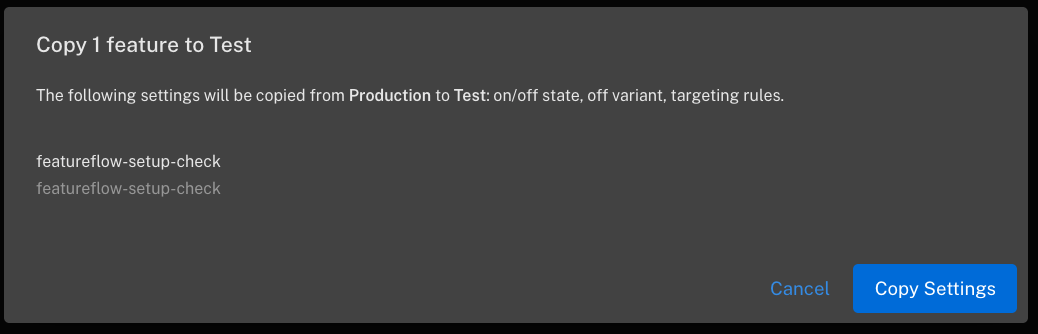
The confirmation dialog lists the features and settings involved and warns you about anything that needs a second look before you commit:
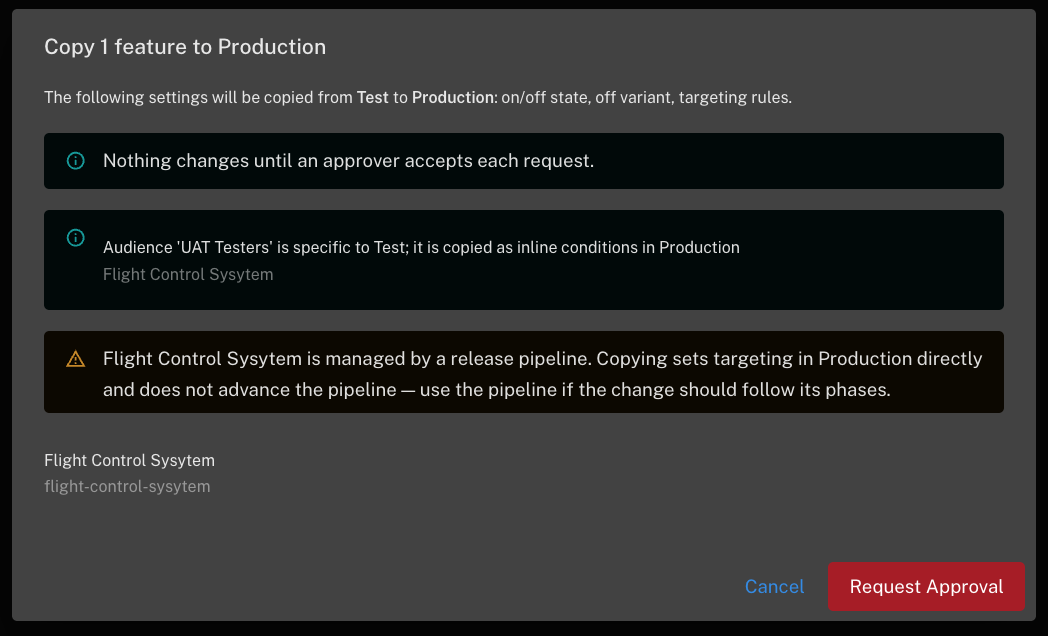
Copying goes through exactly the same gates as editing a feature's targeting directly:
- Permissions — read-only users can compare but not copy, and copying into a production environment needs the production editor role.
- Approvals — if the target environment, the feature, or the feature's release-pipeline phase for the target requires approval, that feature becomes a pending approval request instead of an immediate change. The button reads Request approval when every selected feature is gated, and the dialog tells you when only some are.
- Environment-specific audiences — a rule that uses an audience scoped to the source environment is copied with the audience's conditions inlined. It evaluates the same in the target, but is no longer linked to the saved audience, which only exists in the source. Project-wide audiences stay linked.
- Release pipelines — a pipeline-managed feature can still be copied, exactly as it can be edited directly, but the copy sets the target's targeting outright and does not advance the pipeline. Use the pipeline instead if the change should follow its phases.
After the copy, each feature reports its outcome — applied, held for approval, or skipped with the reason — and the comparison refreshes.
From the REST API
The same operations are available to scripts and CI:
GET  /api/v1/projects/<projectKey>/environments/compare?source=<envKey>&target=<envKey>
POST /api/v1/projects/<projectKey>/environments/copy
The copy body is:
{
  "source": "staging",
  "target": "production",
  "featureKeys": ["checkout-redesign", "new-pricing"],
  "settings": { "enabled": true, "offVariantKey": true, "rules": true },
  "comment": "Promote sprint 42"
}
and the response lists every feature as APPLIED, PENDING_APPROVAL (with the approval id) or
SKIPPED with a reason. Both endpoints need a
personal access token with write access for the copy.